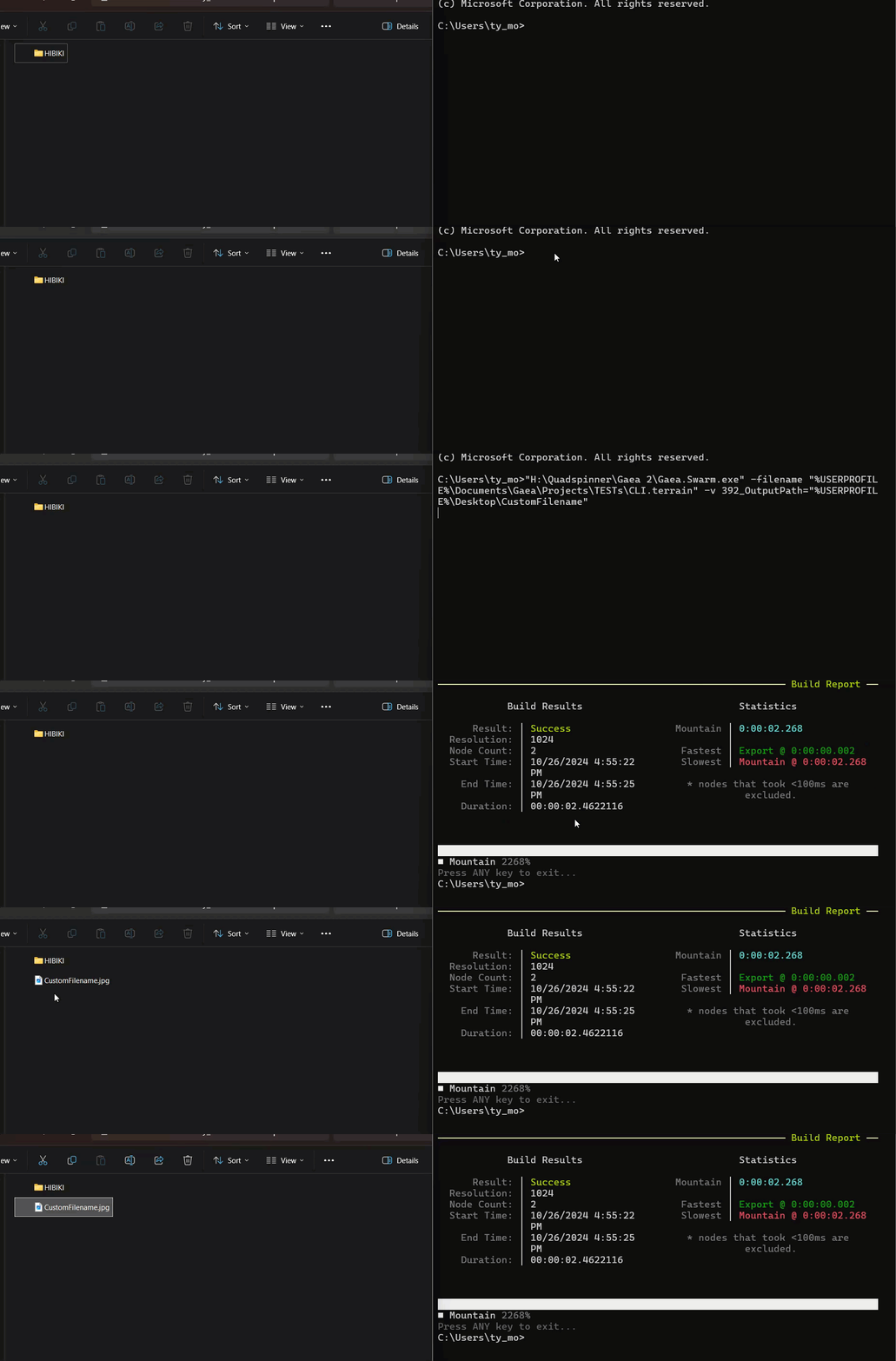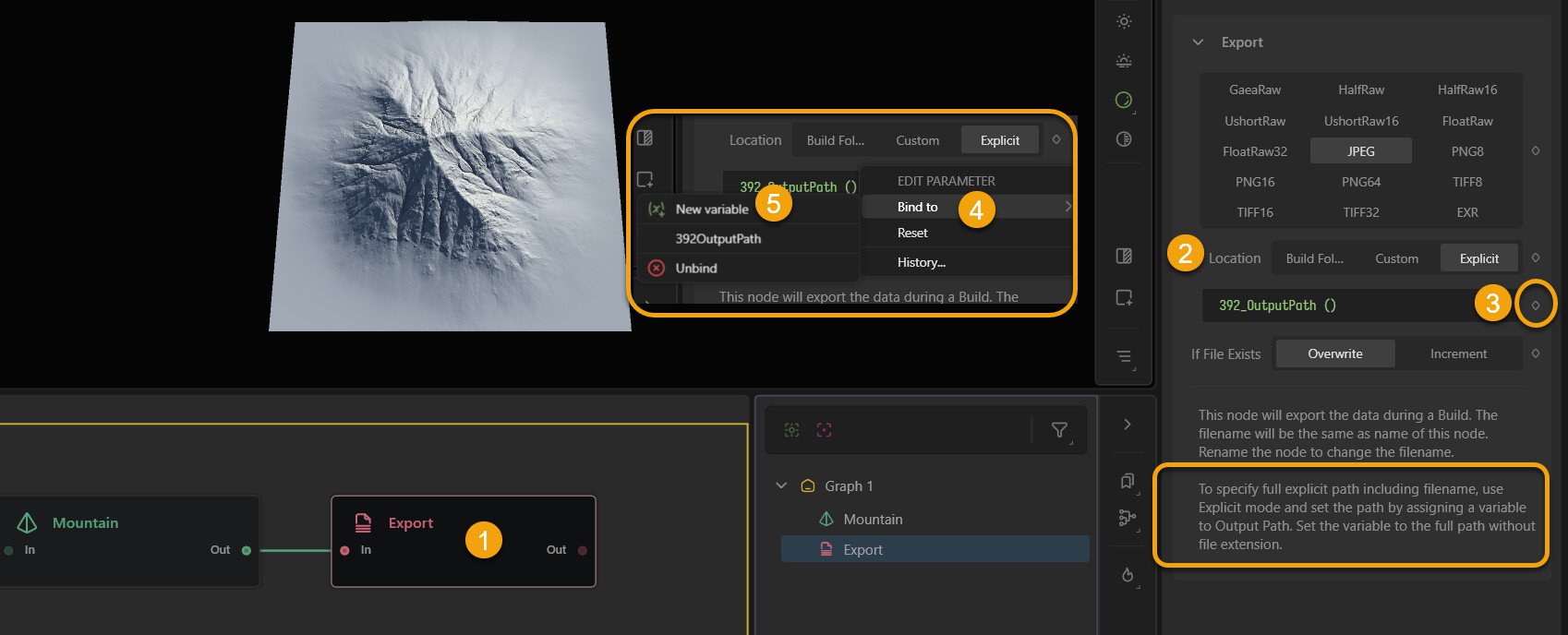
If you use an explicit node reference, you can override the output folder and base filename from the CLI.
Thanks to @Dylan_Y for originally mentioning this 
Requirements
- Gaea Swarm available (
Gaea.Swarm.exe) .terrainproject saved locally- An Output node you want to target
CLI template
"<PATH_TO>\Gaea.Swarm.exe" ^
  -filename "<PATH_TO_PROJECT>\CLI.terrain" ^
  -v <NODE_ID>_OutputPath="<DESTINATION>\CustomFilename"
Example 1: explicit paths
"PATHTO\Gaea 2\Gaea.Swarm.exe" -filename "PATH TO PROJECT FILE\CLI.terrain" -v 392_OutputPath="DESTINATION TO OUTPUT\CustomFilename"
Example 2 : %USERPROFILE%
"H:\Quadspinner\Gaea 2\Gaea.Swarm.exe" -filename "%USERPROFILE%\Documents\Gaea\Projects\TESTs\CLI.terrain" -v 392_OutputPath="%USERPROFILE%\Desktop\CustomFilename"
[! NOTE]
Node IDs vary:
392is specific to my graph. Your project will have different node IDs, so update it accordingly.Quote paths:
Always wrap paths in"..."(especially if they include spaces).
Optional Example: make Swarm easier with an environment variable
If you add a Windows environment variable (e.g. GAEA_SWARM) pointing to Gaea.Swarm.exe, you can run:
"%GAEA_SWARM%" -filename "%USERPROFILE%\Documents\Gaea\Projects\CLI.terrain" -v 392_OutputPath="%USERPROFILE%\Desktop\CustomFilename"
Inputs (File node)
Inputs work the same way:
target the File node ID and pass the relevant parameter using -v.
... -v <FILE_NODE_ID>_<PARAMETER_KEY>="D:\Inputs\your_input_file.ext"