A large list of feature requests

Hello. This will be a big post. :]
I’ve been using Gaea for pretty much exactly a year at this point, so the list of thoughts “it would be great to have this” has grown solid. Some of these I mentioned on the Discord server, but since it’s kind of gone and the team’s presence there wasn’t noticed, I’ll just upload the full list in its entirety here.

-Ability to copy or duplicate Notes and Groups with all their content inside;

-Ability to create groups inside groups, and bigger group taking smaller groups within it along when you’d drag it around;

-Groups leaning around the nodes rather tightly and not having that large minimal scale that can hinder within a graph - make it so you could shrink a group frame to a size of just slightly bigger than a compact view mode of a node (like Combine’s default);

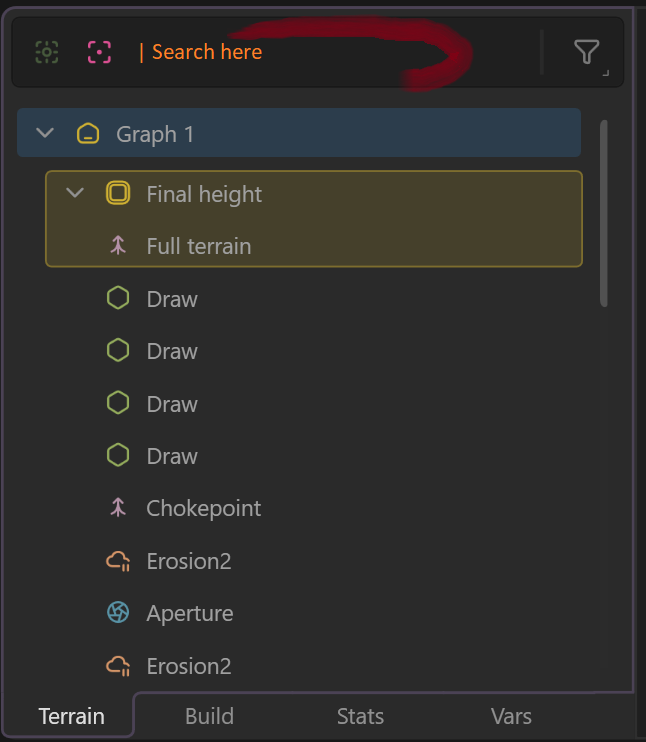
-Node search bar in Terrain tab in the data panel;
-Drag-n-drop for TORLET files instead of having to go File-Import-Torlet-navigate;

-Ability to define user heightmap (i.e. mask gradient) display by a custom user-created gradient. Ideally, it could either be stored in the app (like a satmap/clut) or imported as an sRGB texture or even a CLUTer node/texture. I like the “heat” map, but if I could customise it myself, that would be amazing;

-Easier ways of storing user CLUTer gradients, exporting them, sharing them between projects; having a dedicated “User” category in SatMap node for those;

-Walking camera mode and capability of looking bottom to top (for example, to check the view on the mountain from a perspective of a person standing on the low ground looking upwards). Currently you can’t put your camera below your terrain, which deprives you of a perspective you might need to estimate your terrain correctly;

-Edge node’s Round mode cuts off way too much even with Size and Softness set to 0, please reduce the effect at lower values - currently I always have to make custom masks with hemispheres instead;

-Allow rewriting node state to a new current one instead of the button only offering to load the saved state. You get stuck with that one and you can’t save a new one (aside from just duplicating the node, of course). And/or allow storing multiple states (like you get the list of recent seeds, for example). Then maybe it won’t be that useless compared to just duplicating nodes with different settings;

-Power modifier ([graph]^x) as a separate button at the bottom; it feels needed very often, it’s not on the list, Math node takes time to set up, Shaper doesn’t work in the same way. I’ve needed it since day one and it’s still needed very often for tweaking gradients falloff, and it’s my most frequent use of Math node;

-Removing a modifier confirmation window should be removed, in my opinion, since the cross is small enough already, on top of that if you click on the same modifier (which have larger buttons) it gets removed without confirmation anyway;

-Debris node could really use Bias slider to set up the bias towards average size of boulders within the specified range, so that one wouldn’t have to set up multiple nodes for different fractions that often;

-Sediments node should have Seed;

-Ctrl+C - Ctrl-V working between different windows with different projects opened in them would be great. Although drag-n-drop for Torlets would be good enough, probably;

-Export as torlets should prioritise exporting the selected nodes instead of the whole graph. Instead of just selecting a branch and exporting it, you have to select them, duplicate, create a group, group to tab, go there, export, then delete the tab…

-A setting to choose whether to build to the last selected node upon reopening a project or only the first node in the tree. Currently the preview of the project is formed by the selected node when you save it, but when you reopen it, it also starts building till that selected node, which can be inconvenient in 4K previews when you only need to open it for something brief (At least Stop Engine button works properly now, but if your first node to build is something like Rockscape, you still have to wait for 30 seconds until it stops building), so you either have to rely on Stop Engine button or pick the first node each time before save-quitting (but you lose the preview of the project). Personally, I’d like to choose between Gaea starting to build everything upon launch or just the first node (more often the case).

-Ability to remap application’s hotkeys;

-Ability to create a customisable quick menu list of nodes! Let’s say I want to have a list of 15 quick-access nodes within a reach of a finger, always, same nodes in same order. Not an option… Let alone you lose your entire prediction (most used) system if you lost your appdata folder or you’re working on a new/guest device, and you can’t restore it in any other way other than using specific nodes for dozens of times until the system recognises their usage.

-Ability to assign a shortcut to any functional button in the app;

-A toggle for Height mask slider between height relative to the terrain definition’s height range and height relative to your current terrain’s range. So that you get different masks for “between 20% and 40%” when you’re using a terrain that covers only 70% of the height range of the project. It would be very convenient for procedural generation workflows where results can be unpredictable before they reach the height mask node upon each generation;

-Consider renaming “Slope” to “slope mask”, “height” to “height mask” and so on. I’ve seen many cases where people try exporting Height node thinking it’s the one for heightmap export, and then get very confused with the result they get;

-Ability to rearrange groups in Terrain tab by dragging. Currently it’s a set list and it becomes useless as soon as your project becomes big enough. As mentioned, there’s no search function, and you can’t find what you need if it contains a hundred or more nodes. There is a crutch that the groups at least are displayed at the top, which helps, but you also cannot rearrange the order of the groups without erasing and remaking them.

-Support for AVIF/JPEG XL formats for exports and screenshots. They are way more memory friendly and just overall advanced. For screenshots, even regular JPG could do. Screenshots can get pretty heavy, especially with increased rendering resolution. Right now you have to compress/reformat them manually;

-Ability to see full name of the node without hitting F2, when you just hover over the name or when the node is selected. Currently the node names get truncated, so you can’t distinguish “Projname Normals Med” from “Projname Normals Small”;

-Ability to use Autolevel in TextureBase node so that you get access to the entire spectre instead of just a part of it.

There is another post dedicated specifically to feature requests related to workflows with the node graph. Let me know whether I should put it in this topic or create a new dedicated one.

4 Likes

All great ideas, thanks! We’ll add all to the backlog. Several of them are already on our plan for Gaea 3, some are already implemented or in-progress. :slight_smile:

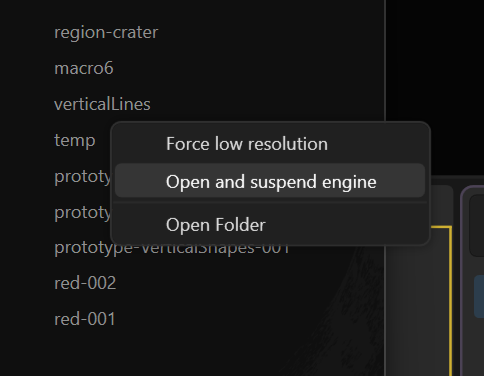
-A setting to choose whether to build to the last selected node upon reopening a project or only the first node in the tree. ….

We do have a solution for this (to an extend) in the Recent Files list where you can right-click and choose Open and Suspend Engine or force it to switch to 512 x 512 preview. We’ll try to add it everywhere.

Making this into a concise list for tracking.

Copy/duplicate Notes and Groups, including all contained content.
Nested Groups (groups inside groups), with parent group dragging/moving child groups.
Allow Group frames to shrink much tighter around nodes (down to near compact-node size, e.g., Combine default).
Add node search bar in the Terrain tab of the Data panel.
Support drag-and-drop import for TORLET files (avoid File > Import > Torlet flow).
Allow custom user-defined gradients for heightmap/mask display (stored in-app or imported as sRGB texture/CLUT).
Improve user CLUT/gradient management: store, export, share between projects; add a dedicated “User” category in SatMap.
Add walking camera mode and allow camera below terrain / bottom-to-top viewing.
Reduce Edge node Round mode aggressiveness at low Size/Softness values (0 should not cut off so much).
Improve node State feature: allow overwrite/save new current state and/or store multiple states per node.
Add a dedicated Power modifier (graph^x) button for common gradient falloff tweaks.
Remove confirmation dialog when removing a modifier (inconsistent with other removal actions).
Add Bias slider to Debris node to bias boulder sizes within the specified range.
Add Seed parameter to Sediments node.
Enable Ctrl+C/Ctrl+V copy-paste between separate app windows/projects.
Export as Torlets should export selected nodes by default (not entire graph), reducing current workaround steps.
Add setting for startup build behavior: build to last-selected node vs only first node on reopen.
Allow remapping application hotkeys.
Add customizable quick-access node menu (user-defined fixed list/order, portable/backup-friendly).
Allow assigning shortcuts to any functional button/action in the app.
Add toggle for Height Mask slider: relative to project height range vs relative to current terrain range.
Consider renaming nodes like “Slope” to “Slope Mask” and “Height” to “Height Mask” to reduce export confusion.
Allow rearranging Groups in Terrain tab via drag-and-drop (and preserve ordering).
Add AVIF/JPEG XL export and screenshot support (and/or JPG for screenshots) to reduce file sizes.
Show full node name on hover/selection (tooltip) to avoid truncated-name ambiguity.
Add AutoLevel option in TextureBase node to use the full spectrum/range.

2 Likes

Ah, that’s something! Could be expanded on, but still useful, I’ll keep that in mind, thanks. (:

Some favorites and additional thoughts,

Add node search bar in the Terrain tab of the Data panel.

Yes! Searchable node numbers (e.g Combine 114).

Improve user CLUT/gradient management: store, export, share between projects; add a dedicated “User” category in SatMap.

This would be very fun. And if users could define the export JSON format, I could easily create Color Curve assets for Unreal.

Add AVIF/JPEG XL export and screenshot support (and/or JPG for screenshots) to reduce file sizes.

Especially for Turntable animations. (or automatic H.265 .mp4 conversion, I’m not picky hehe)

I would say, especially for… exports, ha-ha. Gaea with its “up to 256K scale builds” promoted feature is pretty much first in the line of software which would benefit from better image compression! Those would save gigabytes and gigabytes worth of textures.

I remembered another one: I wish Bomber had inputs for other parametres you could modulate with. Currently it only has the option for masking distribution points, but not the proportions of instances. Modulation of instances’ size and length/width and separately their height would make the node much better.
Ideally, at some point maybe we could control most inputs with each node with fields (outputs of other nodes). Not sure if that’s asking too much already, but I’ve got quite used to such flexibility of another program. Although maybe you can already do that to some extent with variables, I haven’t studied them much, but yeah, no opportunity to just drag a mask into “Tree size” slider, for example.

And speaking of separate length/width and height… I wish Transform node included height transformation when “Uniform” is enabled. It’s tedious that you have to use Height remap to adjust the height accordingly and you need to tweak it each time you change the scale. Because of that I sometimes just use Transform 3D and Clip.

Another one, it’s quite big in its roots:
Many textures are supposed to have infinite mapping and translation. But for example, you’re only allowed to shift Perlin between 0 and 1 on X and Y, even though it’s endless. And I think that limits many other aspects of the program. I remember how baffled and perplexed I was when I saw how Transform’s translation actually worked. And many questions of newcomers were related to that in one way or another. “Can I move this mountain out of the frame and then drag it back” - I don’t have good examples in mind right now, but I think you get the idea. Looking forward to seeing how Global space/God mode are going to go about it, but I think some aspects could be improved even without those, like with the noise. Or the scale sliders often feel very forcedly clamped, sometimes unfairly, even. It’s generally applicable to generators, say, you’ve got a cool Mountain range seed you want to build upon, but you need to shift or rotate it just a bit, but it won’t be constructed and extended upon translation, you’ll have to smooth the borders and fill in the blank spots and then stitch everything together with erosions… I hope at some point the paradigm about transformations of generators gets shifted towards more procedural/seamless direction.

UPD

-Ability to rearrange groups in Terrain tab by dragging.

I meant “nodes” in the first place, but yes, both nodes and groups. Or a functionality to pin specific nodes at the top of the list, right below the groups, since new nodes would probably push the rearranged ones down and it would still be tiresome to rearrange them again every now and then.

I suggest adding information to terrain files (and probably tfrag files if it’s feasible) like EXIF data about the version of Gaea they were created in and modified in last time (separately). Because whenever some breaking changes happen, it would be much easier to either track where it happened or to roll back to the version where it works as intended. I spent some time ago trying to figure which version I should’ve used for my projects after the Transform node change, recently there was a breaking change in 2.2.9.0 (I’ve sent a ticket) and my Tfrags exported from old projects also break hybrid subdivision in new versions (also sent a ticket). So I think it would be useful both for technical investigation and for users who’d know which previous versions to use while stuff is being repaired.

We already do that.

When a file is opened in a new version/build, we log the old version and save a pre-migration copy.

1 Like

Oh, nice. Can we access this info on the user side somehow? I’m not familiar with data digging in Gaea currently. :)

Yeah the whole .terrain file is readable in a text editor.
For the badge @Kosvid

2 Likes

Not directly, except as @James_S said by opening in a text editor.

I’ll see if we can add it to the Windows Explorer tooltip and Properties dialog for .terrain files. But this may not happen anytime soon.

This one is already for Gaea 3, I imagine.

A River Erosion node that would work based on splines or draw node input (interpreting it as the riverbed and not a mask for precipitation or regular mask).

I think the announced spline tools are going to solve the old problem with making wide and deep rivers and one having to subtract from the terrain for those. But then if you do that (subtract from the terrain to make riverbeds), you don’t really have good options for eroding the surface of the terrain (not water surface) in a way it would look like a sidewards flow erosion - no directional tools, anyway. The flows used in calculations just go down from top, rather vertically, not in the fashion of rivers. And Anastomosis also doesn’t do it the needed way even in Rivers mode, since it calculates the headwaters itself.

I’m not sure how possible it is technically to implement flowmaps for heightfield engines, but that definitely would be very interesting - to imitate erosion that carries the material far away along the stream.

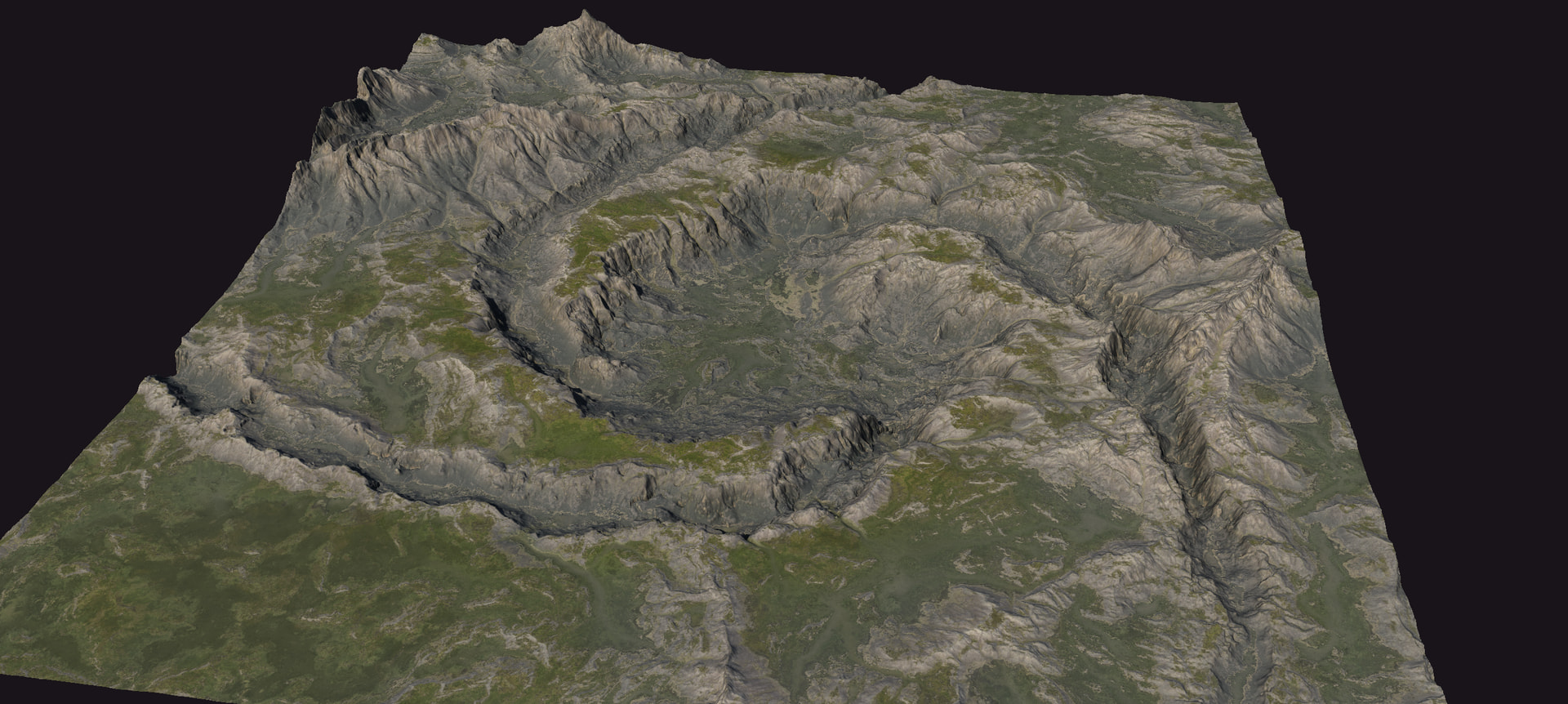
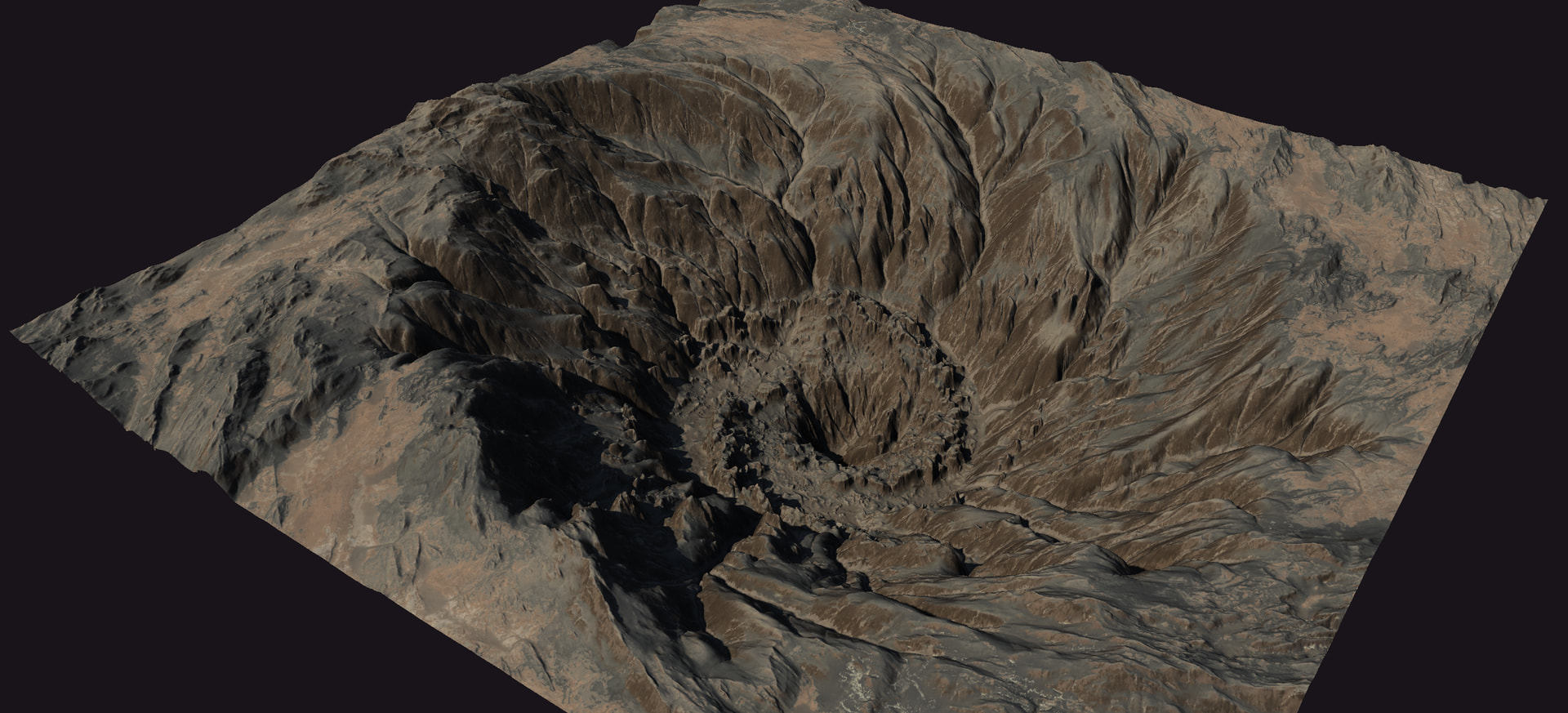
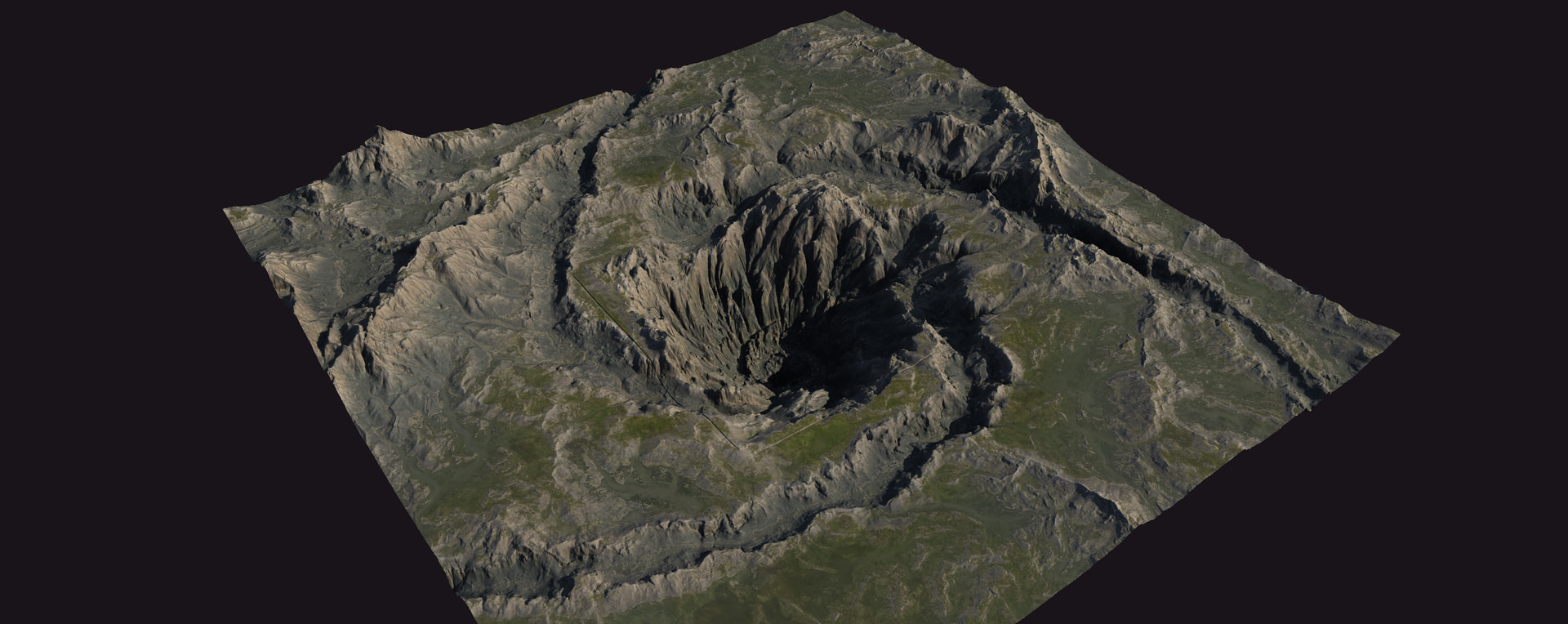
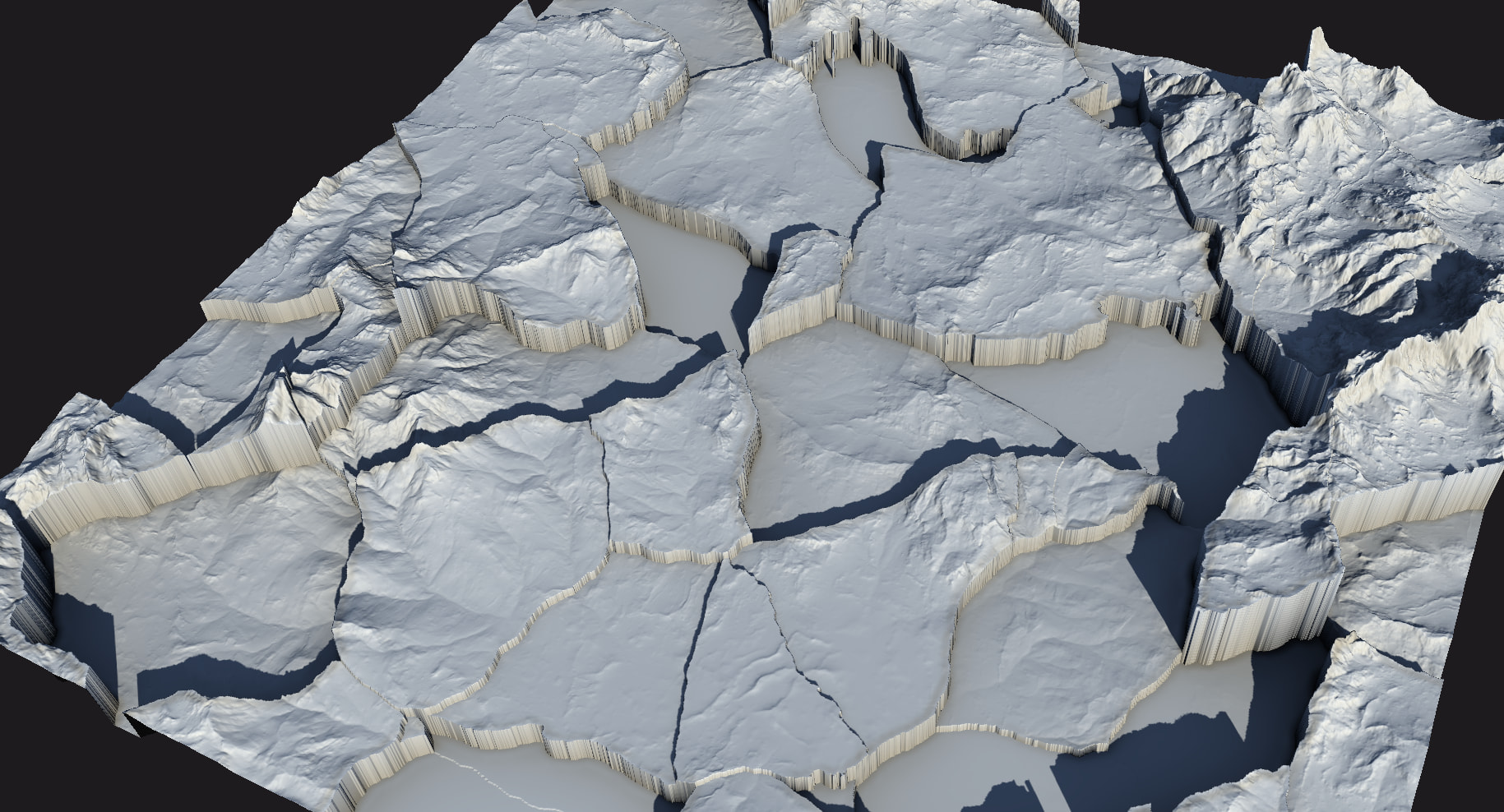
For example, here is an old unfinished project of mine. I created that somewhat stylised vortex and the area surrounding it by subtraction from the terrain and adjusting height.* The vortex has very prominent directionality to its shape, but the trenches are, well, just taken from the terrain. You can set up some directional erosion towards one direction, but there is no good way to maintain direction for complex paths (which rivers are, since they often swirl in all directions on small scale all the time).

*Additional consideration here would be to have an option for somewhat unifying the height of the trench across the spline, since if you just subtract a static shape from a bumpy terrain, your stream would be going up and down across the hills in a very unrealistic manner, so having an easy access to adjusting the terrain around to some set decline angle would be great. Some option of soft combine?..

And to expand on what I mean, @James_S, when I said “without having to use water surface mesh projection”, I meant having an option of erosion that would create something like the riverbeds in the ground as depicted above, without creating smooth surface of the river in Gaea (which I referred to as heightfield projected mesh). I don’t want water surfaces to be a part of the landscape (lakes, seas, rivers), since they don’t leave any mesh data below that surface, I’d like to have options to have “terrain” surfaces for water bodies that I would then manually fill in a DCC. =)

It could be something more general like an erosion node called “Stream” since its utility is wider than just rivers. So I hope we’ll get directional control attached to the splines! Could be a bias slider between end point 1 and end point 2.


Oh, and a separate suggestion. “Split” erosion. Just cut-off, fall-apart kind of breakage of big chunks. Sadly, Gaea doesn’t have a good quick way to add rock split/fracture kind of destruction to terrain. You have to make complex setups for that with subtraction of ridges, or Crumble, or building your own basic structures out of simplest primitives, or other shenanigans. Glacier node is the closest to what I mean, but its use is limited for that.

I mean some quicker way to introduce faults, shattered breakage structures. They are hard to imitate at the moment, at least procedurally, without using textures or bringing in sculpted shapes. I think a node like that (either erosion or surface node) would really fit the program’s general direction of allowing achieving spectacular results with minimal sets of nodes. =)

P.S. I’ve tried creating similar patterns with chunks/islands of varying height after collapse, but even at the scale of 1 Voronoi creates islands too large to utilise them well for that. That comes back to the post above where I was talking about hard capped scaling. :melting_face: Please give us more freedom with scale and translation!
Sorry if I’m misunderstanding, but isn’t that what the Render Surface toggle in the Rivers node is for?

Good point about the sideways erosion. That would give some cool results. Can’t be too far off the way G3 sand erosion moves.

Personally I wish the Rivers sim was something more like

  1. Define your headwaters location and intensity via mask.
  2. Water flows down hill and erodes according to user settings.
  3. Most importantly water pools as it gets caught in dips, continues to grow as water increases (accounting for some dispersion rate).
  4. Allow that pooled water to “break through” terrain according to desired sediment density. If I was working with DEM data, I wouldn’t want it to erode at all, just flow and pool naturally.

Without that pooling, Rivers can get strangely aggressive cutting though stuff, and can even flow uphill some times.

1 Like

Ah, yeas, that exists, oops. :D
To be honest, I haven’t used Rivers node in quite a while due to how limited it felt. :x
So I’m eager to see those shiny spline tools.

:100:

Ideally, the pools and dead-ends would have a dedicated mask output, so you could make them inputs to feed to HydroFix [even though it doesn’t have guiding inputs currently] and headwaters to more river nodes to make more controlled river branching systems. Hmm, I imagine hydrofix’ openings also driving the source of sedimental flows… Not sure how it can be done at the moment, I might experiment with that.

1 Like

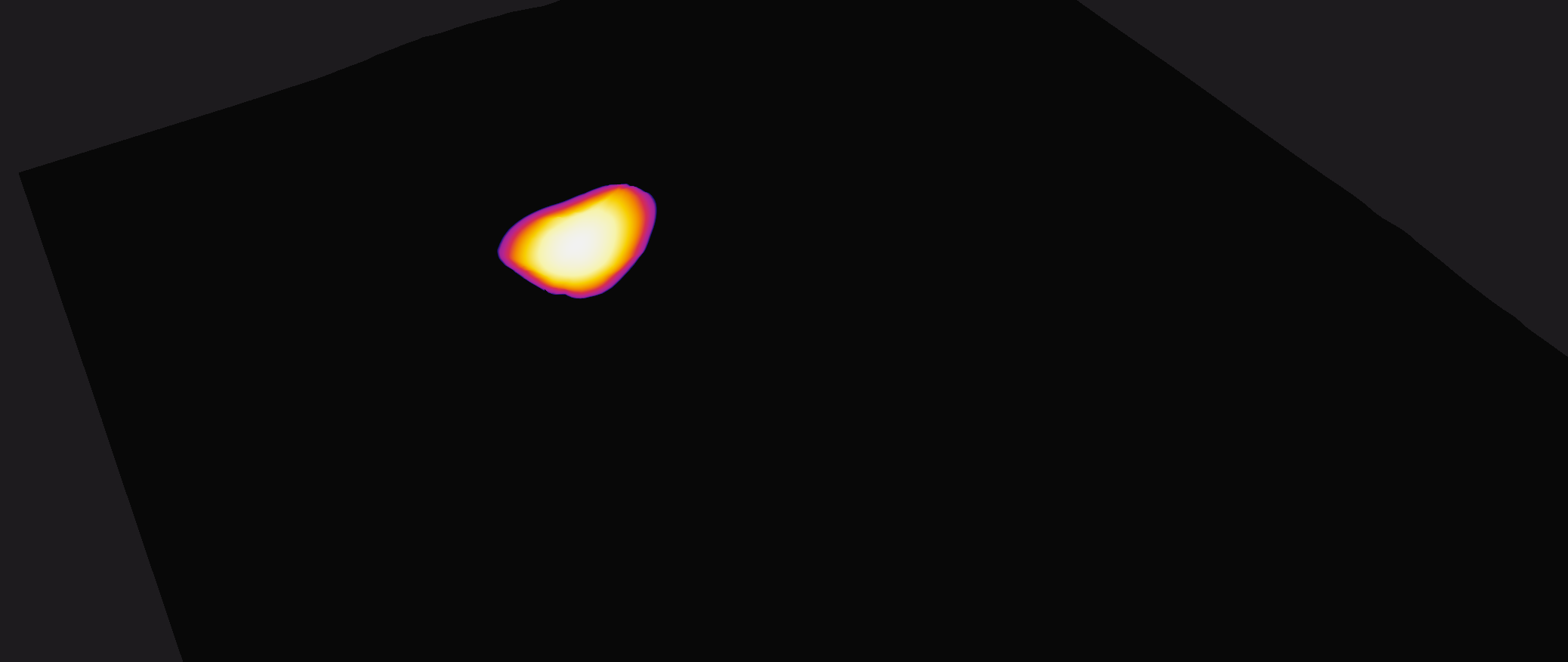
One more request: please add some sort of neutral highlight (probably occlusion-based or similar to Shade node) to the terrain base when working with masks. It’s very cool that they can have the terrain as underlay, but for many masks you can’t see the terrain at all to know where to put it precisely.

I’m using Heat gradient map, so simple grey would do. For the case when one is using the standard grey gradient map, maybe make that highlight tinted. Or, ideally, make it configurable in the visualisation panel. A slider for terrain occlusion highlight and a colour wheel for its tint.

1 Like