I created a landscape in Gaea with a mountain range and one main mountain that is supposed to be around 4,000 meters high, significantly taller than the surrounding mountains.
After building the terrain and importing it into Unreal Engine, the landscape scale was set to X=100, Y=100, Z=100. However, the tallest mountain ended up being only slightly higher than the other mountains.
I tried increasing the height manually in Unreal using the Sculpt tool, but it quickly reaches a limit and I cannot make the mountain tall enough to reach a realistic snowy elevation.
If I increase the landscape Z scale (for example, to 300), the main mountain becomes much larger, but all the other mountains and hills also become excessively tall, which ruins the overall proportions of the landscape.
What is the correct way to handle this? Should I adjust the height distribution in Gaea before exporting, use a different export setting, or is there a recommended workflow for creating a single very tall mountain while keeping the surrounding terrain at a reasonable height?
Your terrain bounds come from Build Options > Terrain.
That defines the physical terrain size: width, max height, real scale, and height-scale ratio.[1]
For the actual export height range, use Data View > Stats on your final heightfield node, not the /Unreal node as the Unreal node prepares the data for UE-friendly resolution, format, naming, and metadata, so it should not be treated as the source of truth for the terrain’s original min/max range.[2]
After export, check TerrainDefinition.json. If importing manually into Unreal, use Gaea’s Z-scale formula:
Max height in metres × 100 × 0.001953125
Or use Gaea2Unreal importer tool, which reads the exported heightmap and Gaea metadata to populate the Unreal import scale for you, which is more straightforward.[3][4]
Hope that helps.
(I’ve also learned to use footnotes much better now, that’s a win for me! :D)
Thank you for this informative reply, @TyXanders . This is something I’ve also struggled with understanding. Can you clarify on this part specifically?
Or use Gaea2Unreal importer tool, which reads the exported heightmap and Gaea metadata to populate the Unreal import scale for you, which is more straightforward
I’m uncertain how to use the Gaea2Unreal importer when you are specifically not using the terrain from Gaea as the entire heightmap. For example, if I already have a huge region/level, but I just want to bring in a single mountain, or other terrain from Gaea, can we still use the Gaea2Unreal Importer tool? If so, how? My instinct is a landscape blueprint with a landscape patch… but I haven’t figured out how to do this.
That defines the physical terrain size: width, max height, real scale, and height-scale ratio.
One small question here. The documentation includes examples of real world landmasses, like mount everest and such. Is this intended to be a guide to follow in our game? For example if we want a mountain that’s equivalent to 75% of the size of Everest, we do 0.75 * that height, and use that as the max height and it’s now “proportionate” and safe to go off of?
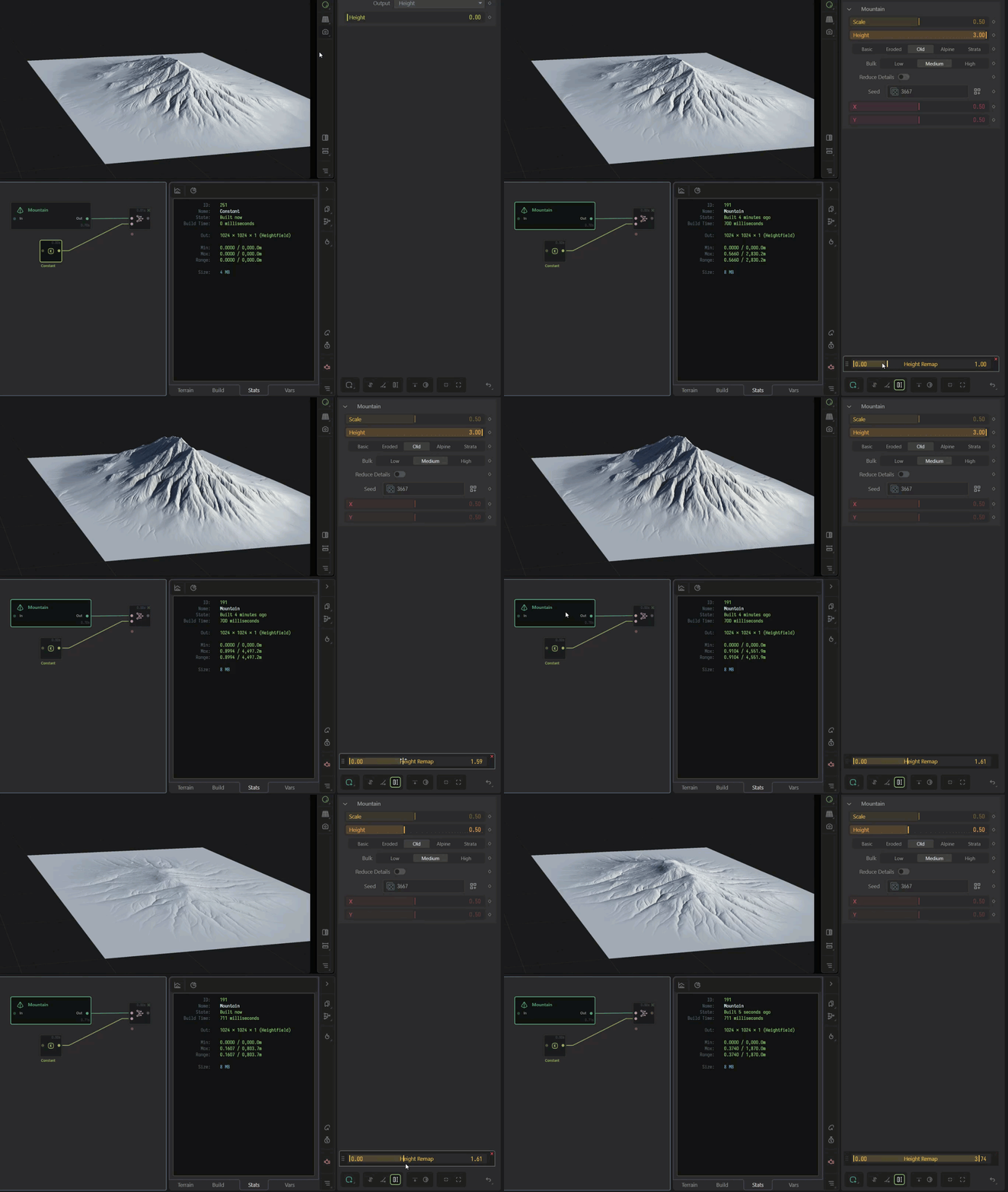
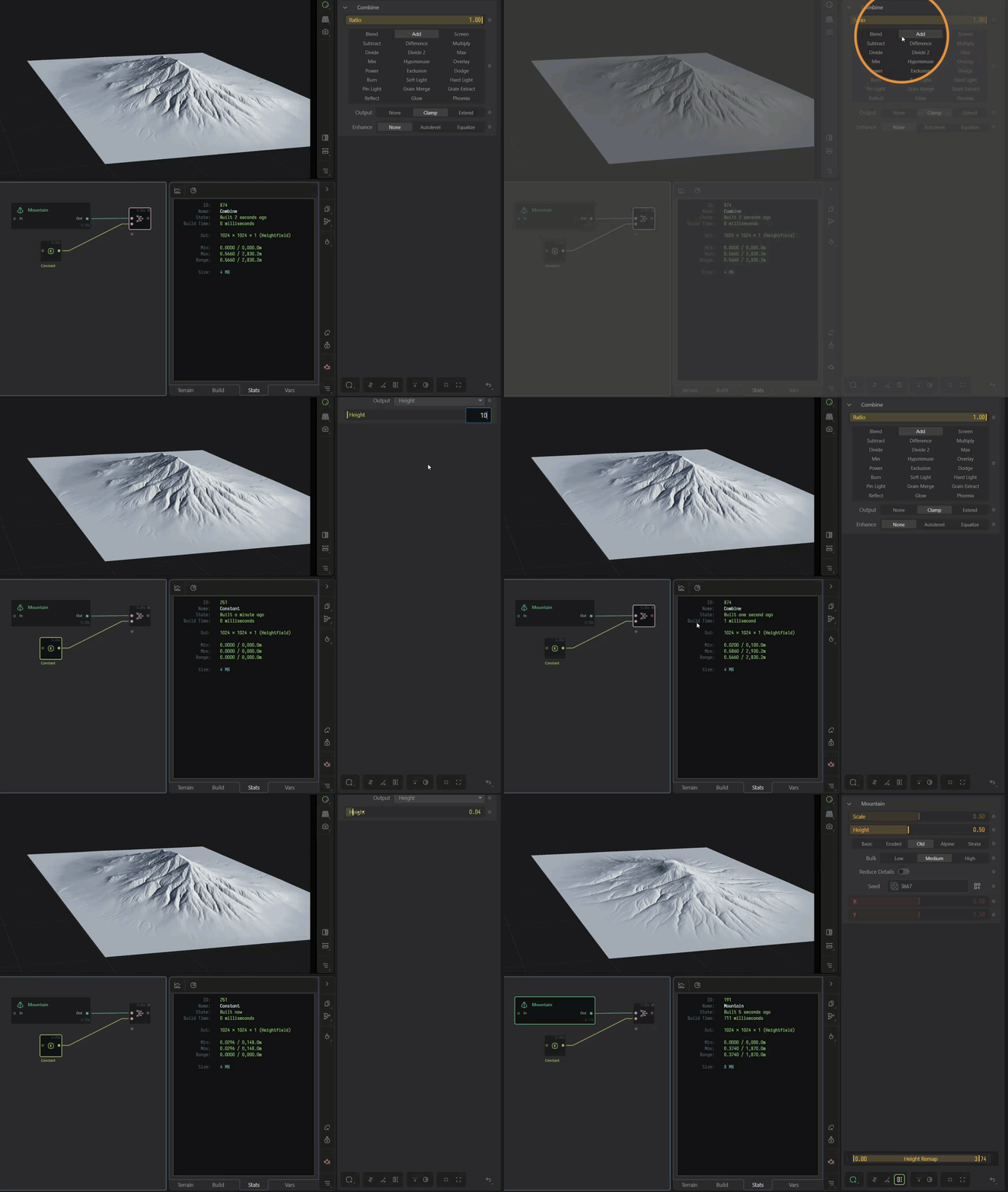
If you don’t accept video answers, I will try to make screenshot of every step to understand how to solve the height and scale problems in gaea landscape importing into unreal engine.
I return to you a video in kind.
Hopefully, this helps you refine your Gaea setup for export and simplify your pipeline.
Along with a short step by:
Try a single build at 8k
But be aware, you may need 64GB + of RAM
If you cannot or have low RAM, you may need to consider methods to optimise your builds, pre-bake some data, or use a multi-build pass.
Let Gaea2Unreal and Unreal Engine handle the tiling process of your terrain > landscape
Watch the stats of your final heightfield (/unreal node input)
along with the definition.json file this will determine what your _actual_ terrain min/max and range height is.
You can also additively /combine with a /constant node to move the height of the terrain (or part),
or remap its min and max height with a remap modifier. The latter option works really well for single-build compared to tile builds.