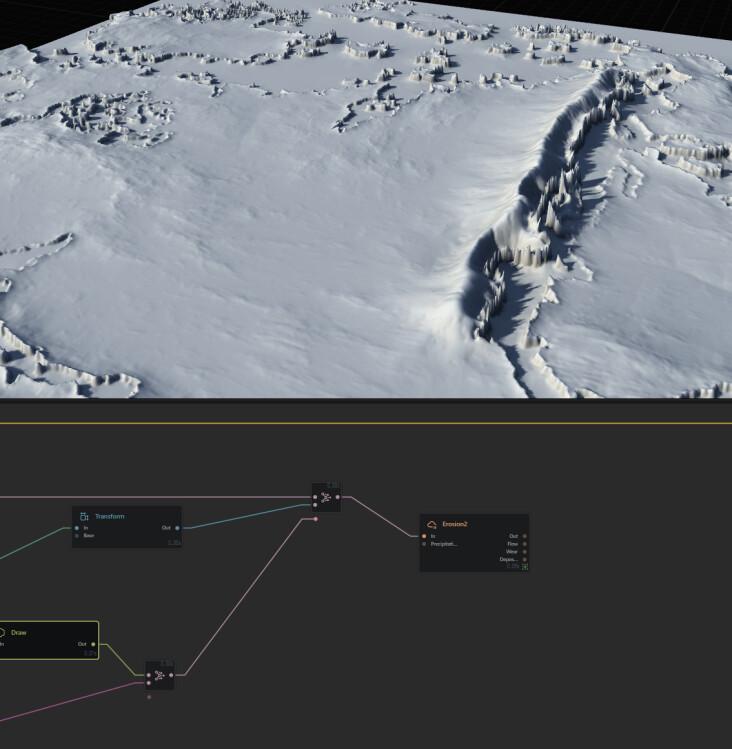
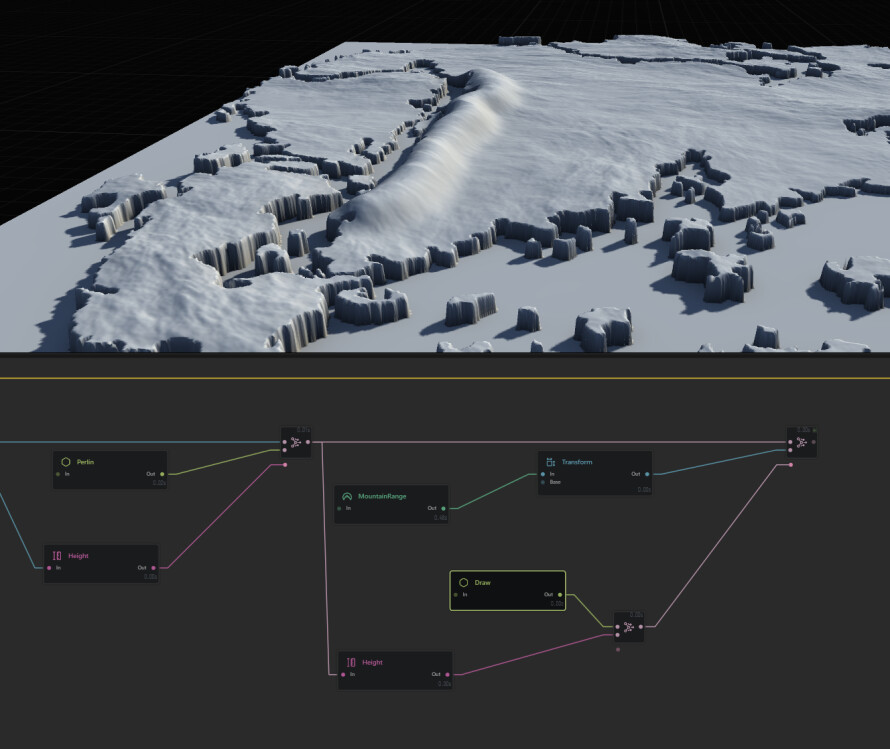
I have a project with an imported heightmap, and I would like to add mountains to specific areas. I can’t get something decent no matter what I try, as you can see in the attached pictures. Perhaps the best course of action is to add elevation to the heightmap beforehand through an external tool.
In the below pictures you can see I tried masking my coastline through draw+height, then combine my base terrain with a transformed mountain range (so that it creates a steeper mountainous coastline). But it ends up looking like an ugly bump, and even after eroding it looks really odd.
@InFarAday the goal is to create both data sets and blend them at the end (usually an extra tiny erosion level)
right now you have your
- sat data
- draw
- blends
- the tiny erosion to gel them together
but, you’re not processing the draw node in anyway, you’re just combining it.
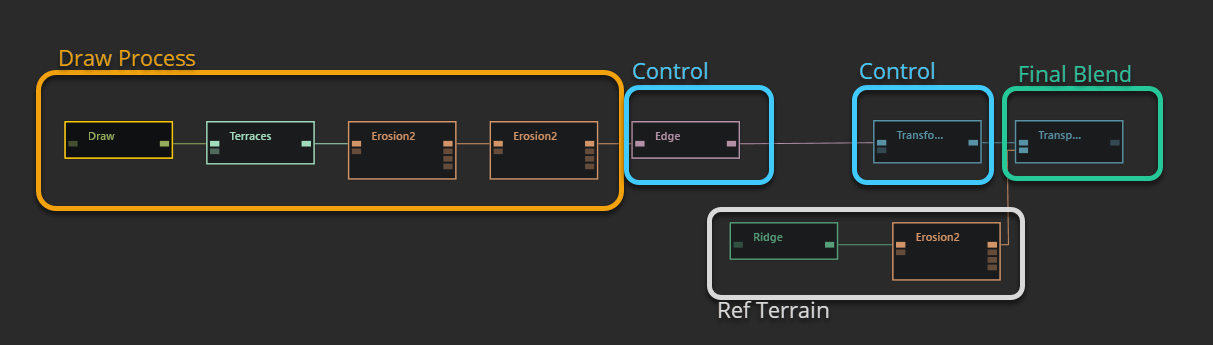
Draw Process
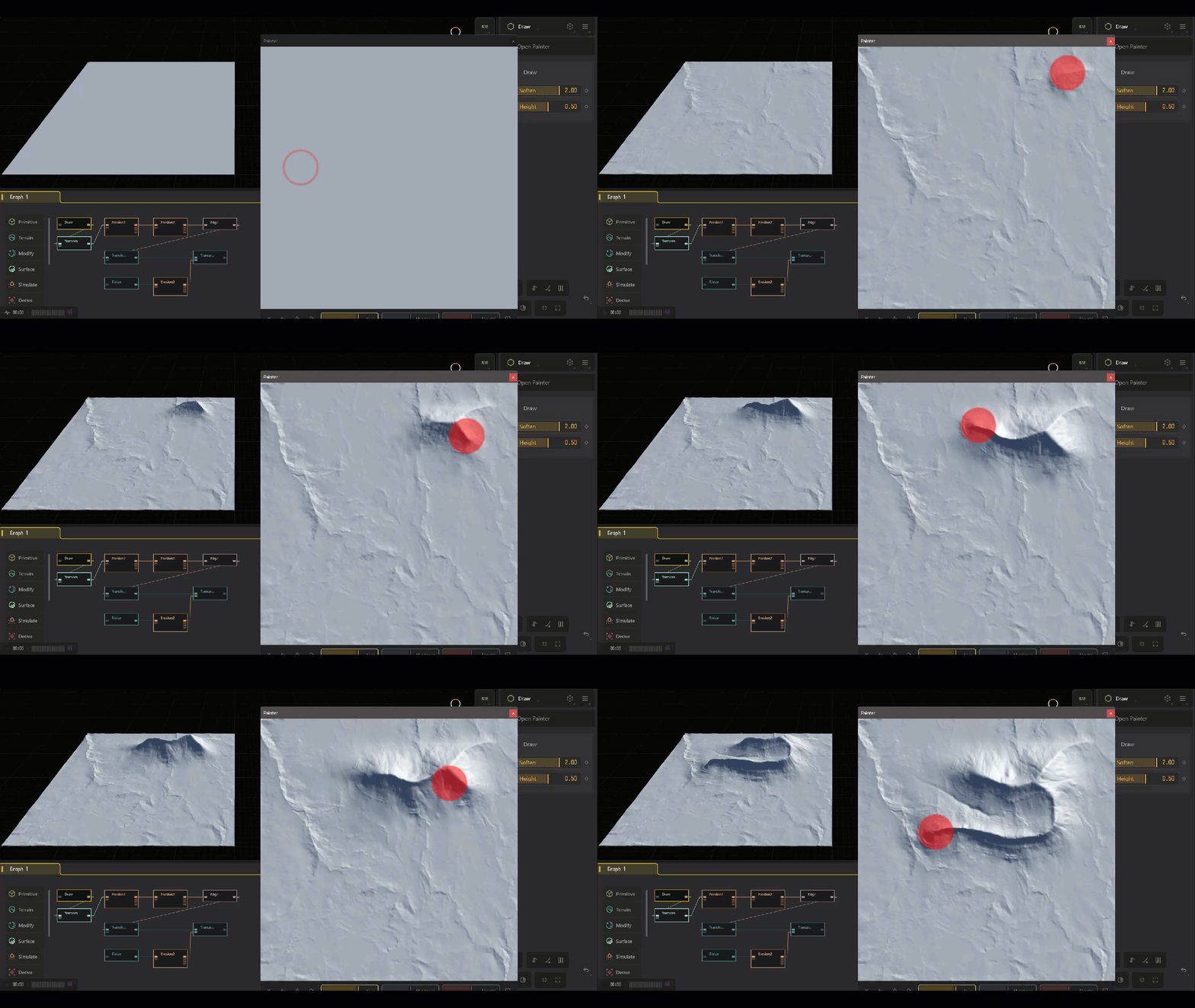
what you’ll want to do it process the /draw into a mountain shape then blend and process the tiny final to gel it together.
Which is what i have done here
Control points
Having two extra control points give some procedural flex as well, fixing any sudden square /edge, if i decided to art direct the position or scale/rotation i can with the second control /transform.
Ref Terrain
this is just a stand in for your height data you showcased
Blend
This is a /transpose node fitting draw-moutain to the ref terrain
Final Touches
Not shown here but it looks like you attempted something similar at the end of your graph a simple erosion with very low duration/downcutting, can help blend the two together.
Downlodable
DrawMountain.tfrag (14.0 KB)
This .tfrag you can import into any project using
File > Import > TORLET
2 Likes
Excellent break down. As always good sir. :)
1 Like
Thank you as always my good chap! :D