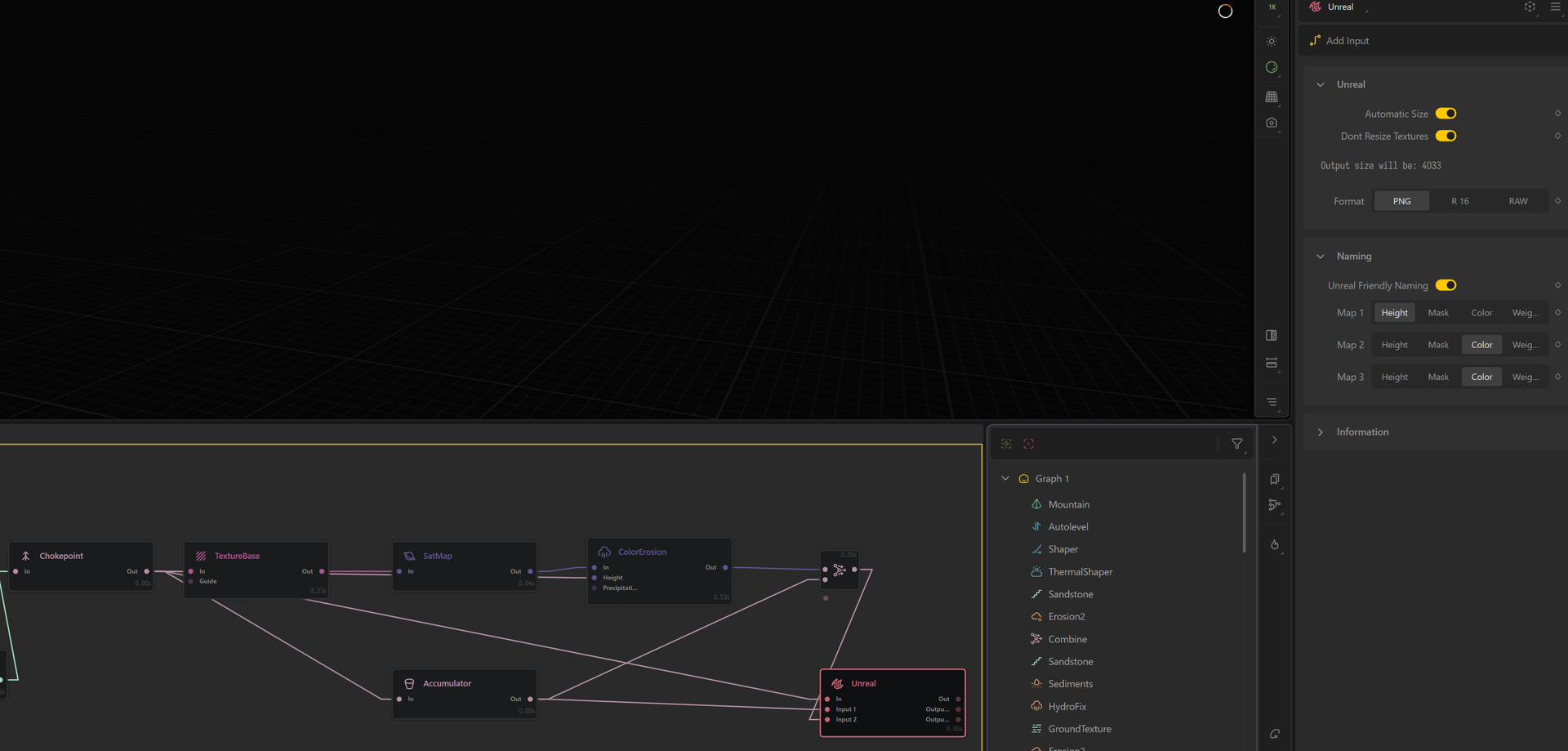
Texture maps in Unreal Engine still use POT ( power of 2) maps like 1024, 2048 etc, this includes with landscapes. It’s only the heightfield data map in this case because of how unreal handles that data.
Yeah you will want to keep your color texture power of 2. Same for any other texture you are sampling in your Landscape material.
While you could sample and use your snow mask as just a single texture, it would be better to import it as a Layer Weight mask; and for that it needs to be the same resolution as the height map.
To get that Snow Mask, and or any other in-ports of the UE node to export as your UE resolution, you have to set them as Weights, or disable Don’t Resize Textures. Both the Mask and Color map options are considered “textures” in regards to that settings while Weight is not.
[!tip]
Technically you can import a landscape layer that does not match the height maps resolution when first creating the landscape actor, but you will not be able to re-import one once the landscape is created.