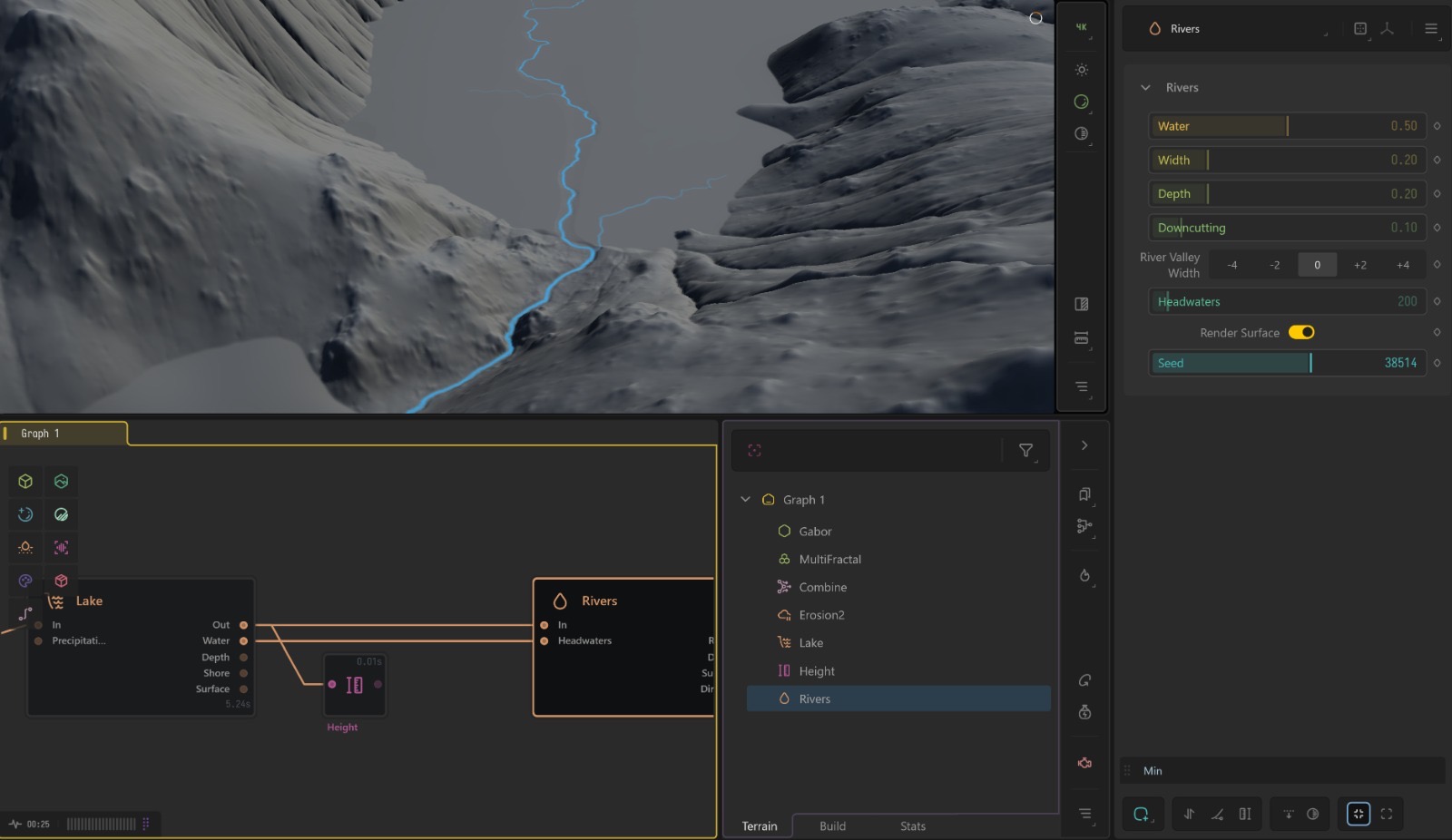
It is not quite a problem, but I’m looking for a way to generate rivers that run between lakes. Whenever I try to generate lakes first and rivers afterwards the surface of the former gets destroyed and doesn’t remain flat, even using Min function. When doing the other way around, generating rivers first and then lakes, the latter cover almost all the bed in a single large lake, even tho I would like to have smaller ones or pond at different altitudes connected in a single system.
I would really appreciate any help with both the problems, especially the second one which I can’t resolve in any plausible way.
They should be pretty chicken and egg with which came first.
But they shouldn’t necessarily destroy one another unless literally crossing over one another
Waterbody nodes all have a debug view when you’re using them once you go to the next node that debug is no longer present, this is my assumption with the issue you could be dealing with.
You should still have both present mind, no need for combines or any blending at this stage. Just chain one after the other.
Continuing the discussion from Problem with lakes and rivers’ generation:
When I try to create a system or rivers that flows first into a lake and then out of the scene or into a second lake, the former gets partially carved out and the surface doesn’t remain flat.
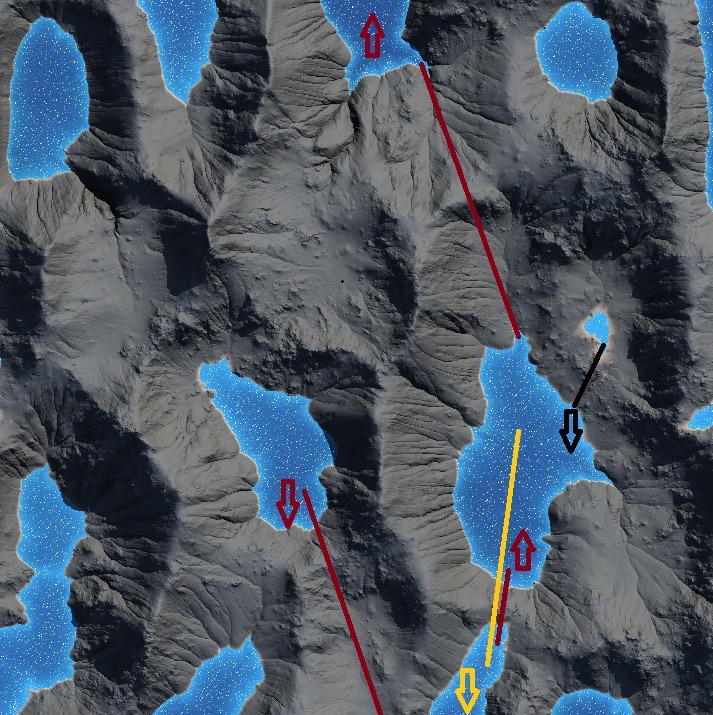
It would be cool also to manage more freely inflows and outflows. From the same scene of the first picture I attached, you can see how the lakes are disposed. The former image depicts the flow following the “yellow arrow”, cutting abruptly into another lake not considering the different of altitudes, while it would seem more obvious to follow the “red arrow” flow. Finally, I can’t get to generate a river that flows according to the “black arrow” and eventually the red one. I hope it is just my problem and that there are some way to get what I desire, and if not, maybe the newer version of the software could implement it.
Gaea 2 can do this, but this is one of those cases where water simulation and art direction can fight each other a bit.
The important thing is that Rivers and Lake are not just drawing water masks on top of the terrain. They are both looking at the terrain and then applying their own process. Rivers in particular can modify the terrain to maintain an unbroken river path, so if you place a River node after a Lake node and the river path intersects the lake, it may cut into or disturb the flat lake surface or just ignore it entierly.
Likewise, if you create the rivers first and then add lakes, the Lake node may see the river valley/depressions as part of a connected basin. Depending on the water level, precipitation, flood control, and lake settings, this can turn several intended ponds into one larger connected water body.
You probably need to guide the simulation earlier. Instead of only deciding lake first or river first and then art directic it, try giving the nodes better control data: use masks/height/flow-style data to limit where headwaters or lake formation can happen, and shape the terrain slightly so the basins and spillways support the route you want.
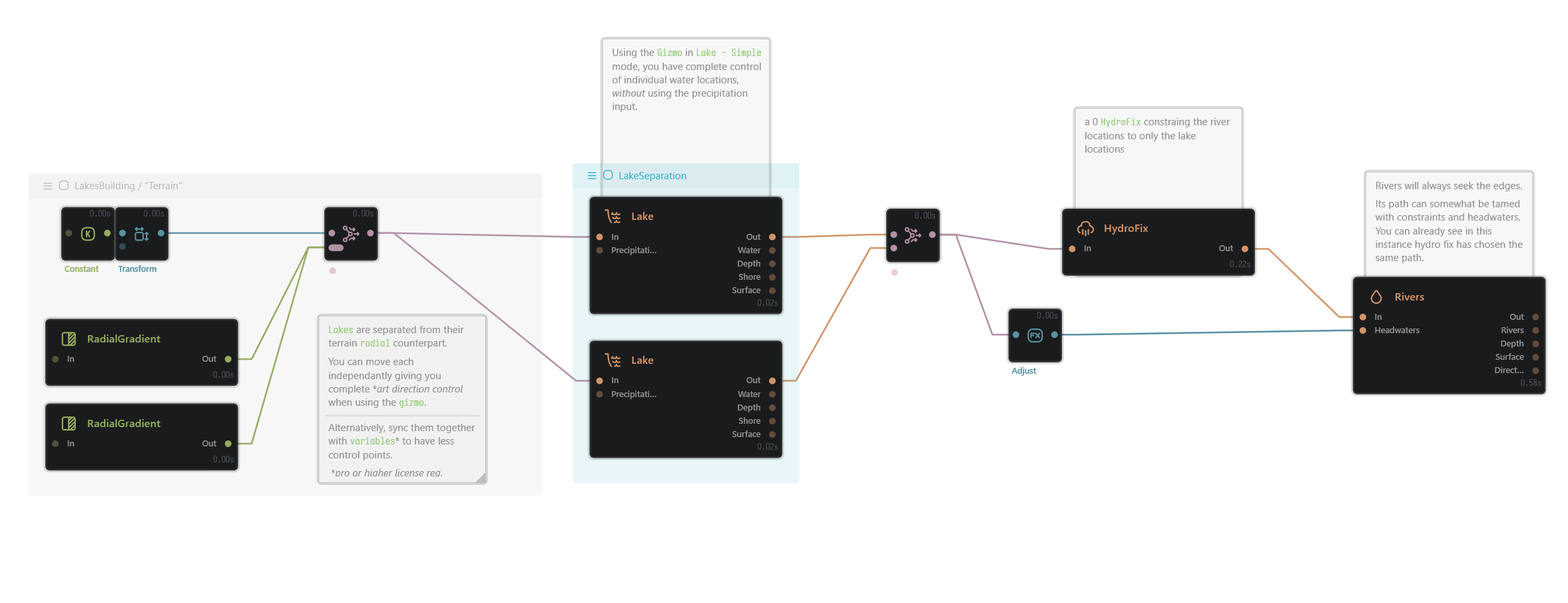
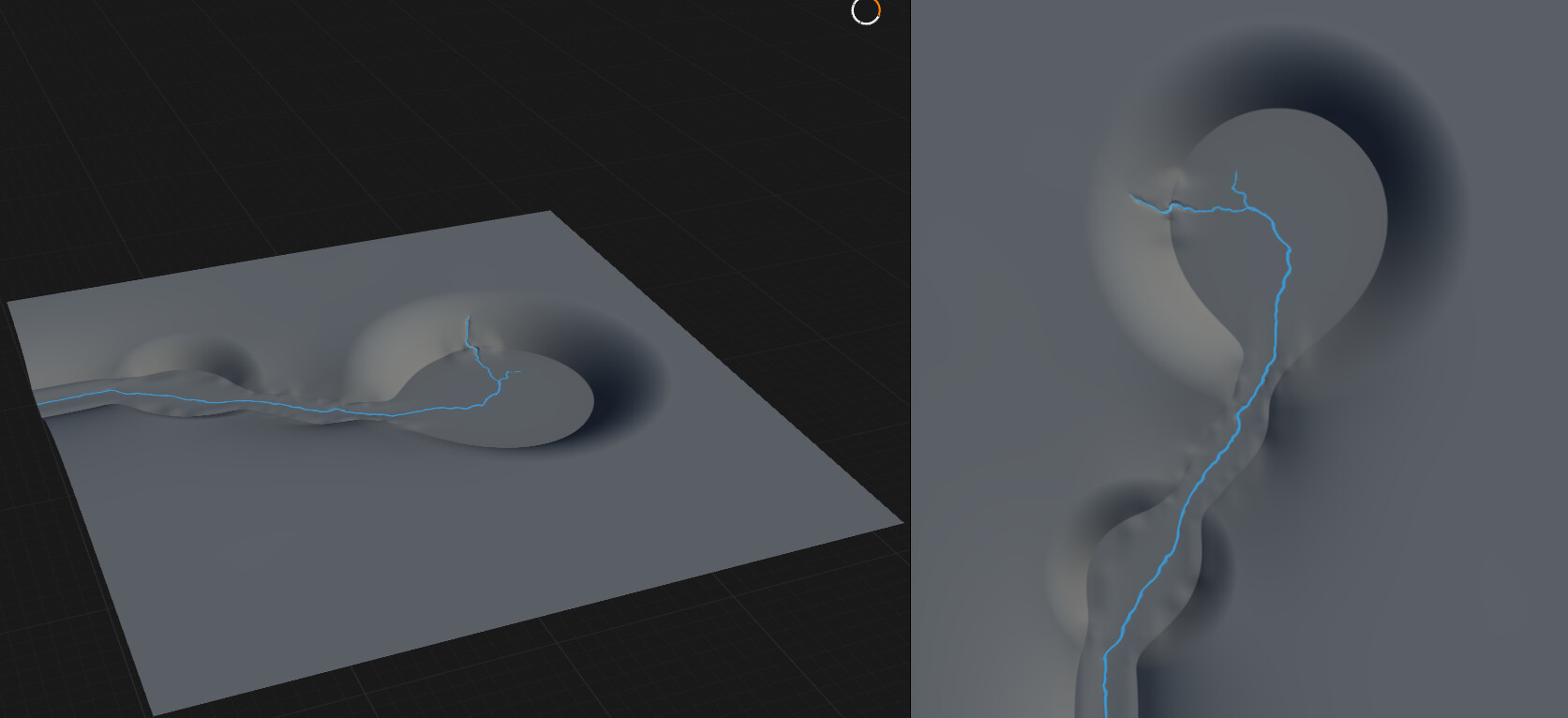
i have a full separation example here where you can move the lake targets or the basins, and then the river directions to go towards each lake when you move the smaller of the two.
this is only using a level plane, but you can do the same to apply a lake to a higher elevation and then trickle down into the lower sections.
With Gaea 3 having more art direction control with splines, this kind of work could be much more straight forward and flexible.
ArtDirLakes.terrain (30.6 KB)
Thanks, I’ll see what I can do with your advices.