Dive into understanding how Builds work in Gaea 2
Contents
The goal of this guide is to:
- Improve user success rates when building
- Help separate user error / setup issues from reproducible bugs worth escalating to the team
First-line troubleshooting
In many cases, if you’re still having build issues:
- Save the project
- Delete the build cache associated with the project
- Try the build again
[!Note]
This is not a guaranteed fix. If the issue persists, please contact Support.
About this guide
This write-up reflects my own efforts and understanding from months of testing and support.
The build system is still evolving and may not be feature-complete in all areas. Improvements will continue.
License restrictions
Available build types and maximum resolutions vary by license level.
Please refer to your license for the definitive limits.
Scope of testing
Builds were created with graphs kept as small as possible (minimal graph density) while still covering common needs.
Users should be able to build these by following the “to build” notes (within license limits).
Tested scopes
2K8K16K256K (where applicable)
All tested scopes built successfully using the provided .terrain files.
1 Like
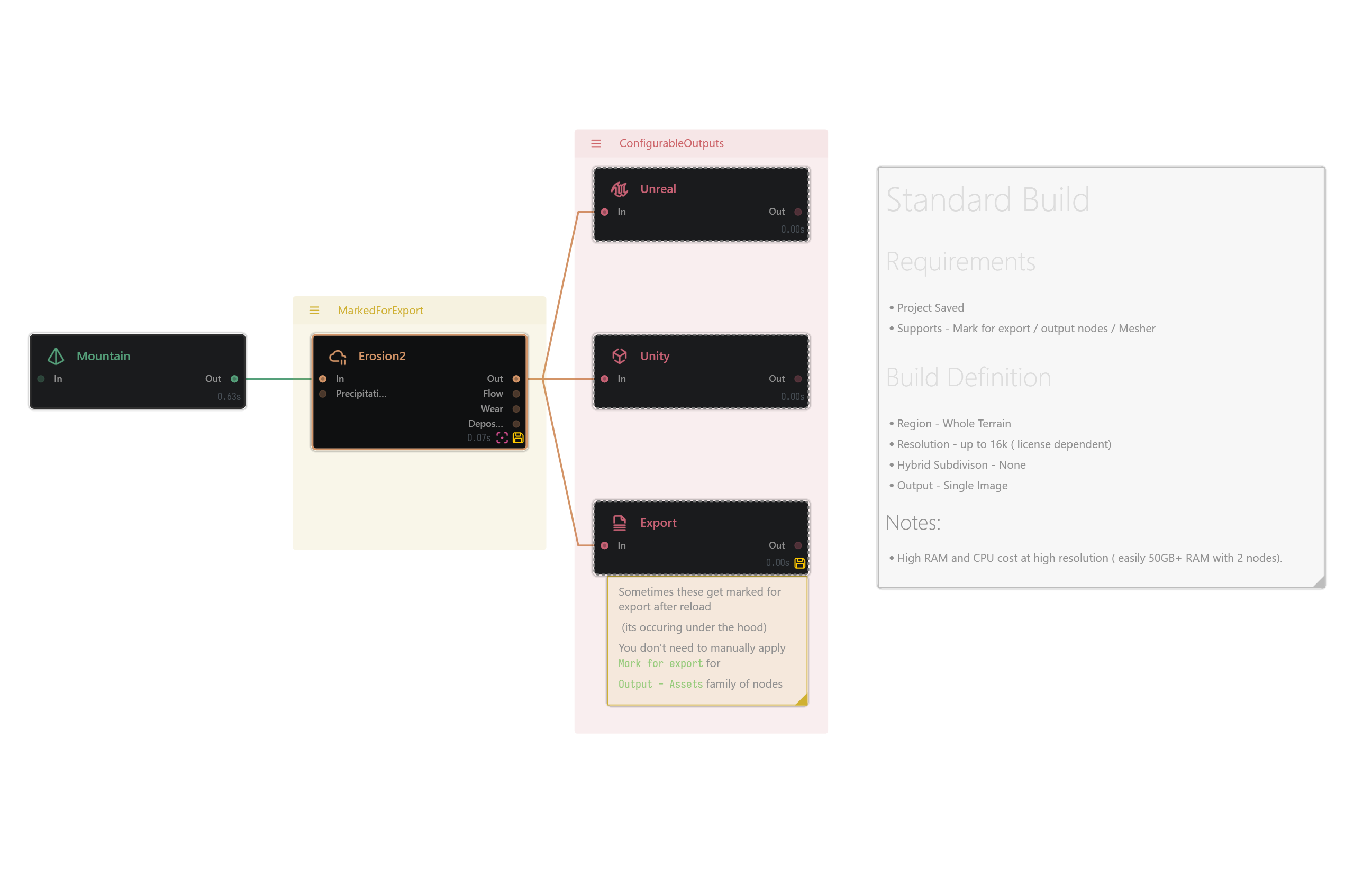
Standard Build
Requirements
- Project saved
- Supports Mark for Export / Output nodes / Mesher
Build Definition
- Region: Whole Terrain
- Resolution: up to
16K (license dependent)
- Subdivision: None
- Output: Single image
[!Caution]
High RAM/CPU cost at high resolution > (easily 50GB+ RAM with ~2 nodes).
StandardBuild.terrain (6.3 KB)
1 Like
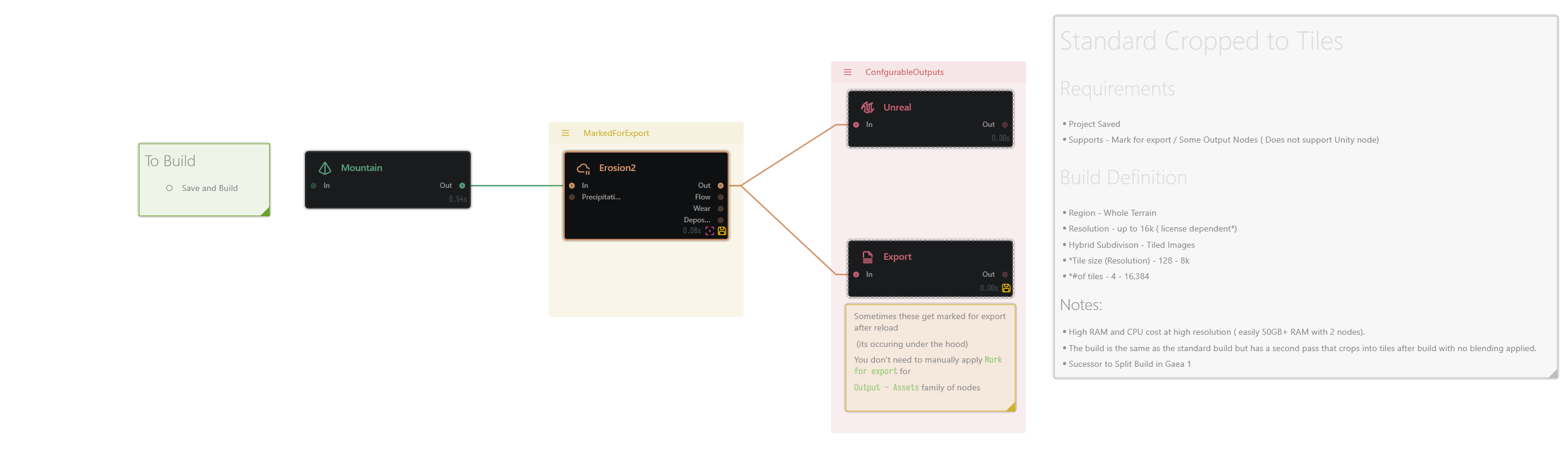
Standard Cropped to Tiles
Requirements
- Project saved
- Supports Mark for Export / some Output nodes (does not support the Unity node)
Build Definition
- Region: Whole Terrain
- Resolution: up to
16K (license dependent)
- Subdivision: Tiled Images
- Tile size (resolution):
128 to 8K
- # of tiles:
4 to 16,384
[!Caution]
High RAM/CPU cost at high resolution > (easily 50GB+ RAM with ~2 nodes).
[!Note]
Same as the standard build, but adds > a second pass that crops into tiles > after the build.
No blending is applied.
[!Tip]
Successor to Split Build in Gaea 1.
StandardBuild_CroppedToTiles.terrain (6.1 KB)
1 Like
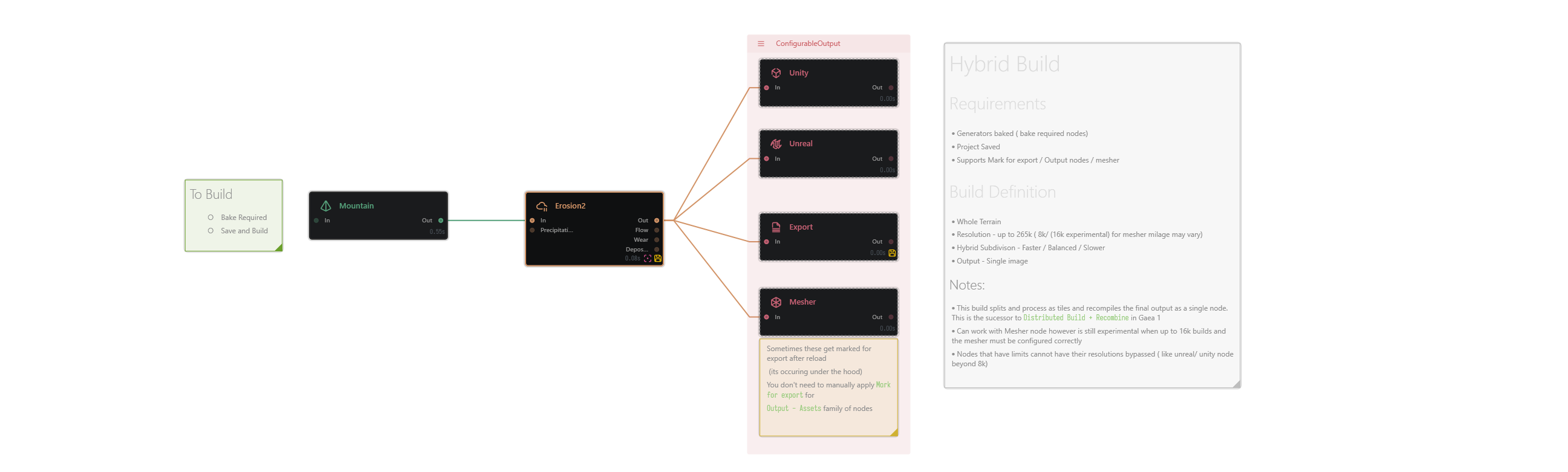
Hybrid Build
Requirements
⦁ Generators baked ( bake required nodes)
⦁ Project Saved
⦁ Supports Mark for export / Output nodes / mesher
Build Definition
⦁ Whole Terrain
⦁ Resolution - up to 265k ( 8k/ (16k experimental) for mesher milage may vary)
⦁ Hybrid Subdivison - Faster / Balanced / Slower
⦁ Output - Single image
[!Tip]
Hybrid Build processes the terrain > as tiles, then recombines to a single output node.
It replaces Distributed Build + Recombine from Gaea 1
[!Caution]
Works, but 16K builds are still experimental, configure Mesher carefully.
[!Important]
Nodes with hard caps can’t bypass their max resolution (e.g. Unreal/Unity export beyond 8K).
HybridBuild.terrain (7.3 KB)
1 Like
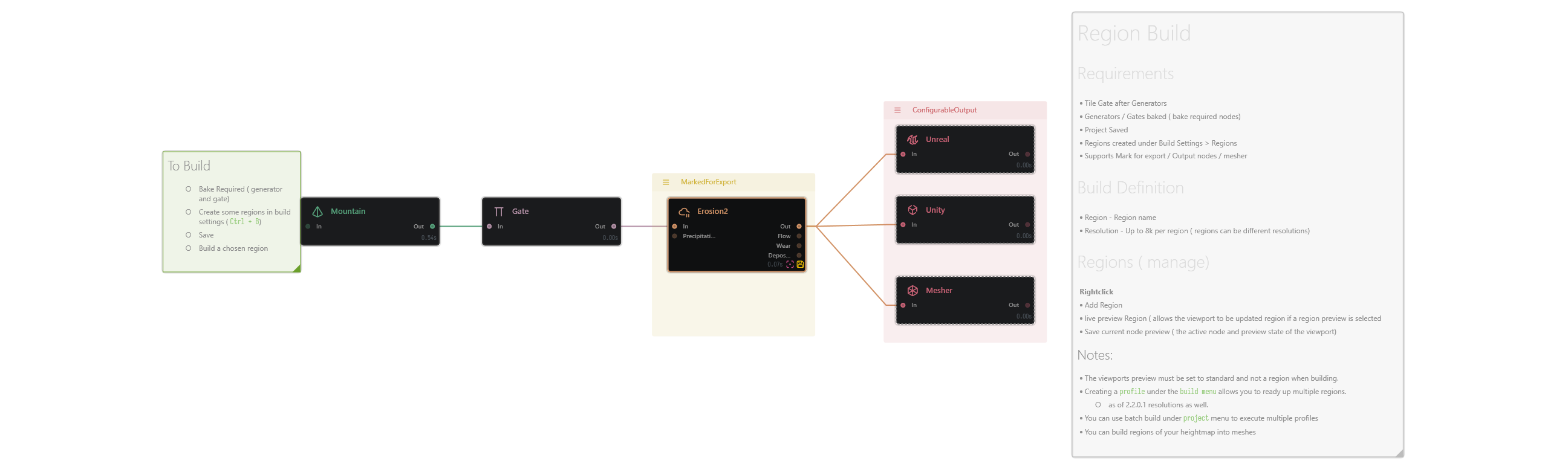
Region Build
Requirements
- Tile /Gate after Generators / gates baked (bake required nodes)
- Generators / gates baked (bake required nodes)
- Project saved
- Regions created under Build Settings > Regions
- Supports Mark for Export / Output nodes / Mesher
Build Definition
- Region: Region name (not whole Terrain)
- Resolution: up to
8K per region (regions can use different resolutions)
Regions
(Manage via right-click)
- Add Region
- Live Preview Region (updates the viewport to the selected region preview)
- Save Current Node Preview (saves the active node + viewport preview state)
[!Important]
When building, the viewport preview must be set to Standard, not a Region preview.
[!Tip]
Profiles: Creating a profile in the Build menu lets you prepare multiple regions and their resolutions as well.
[!Tip]
Batch runs: Use Project > Batch Build to execute multiple profiles.
[!Tip]
You can build region outputs of your heightmap into meshes.
RegionBuild.terrain (7.6 KB)
1 Like
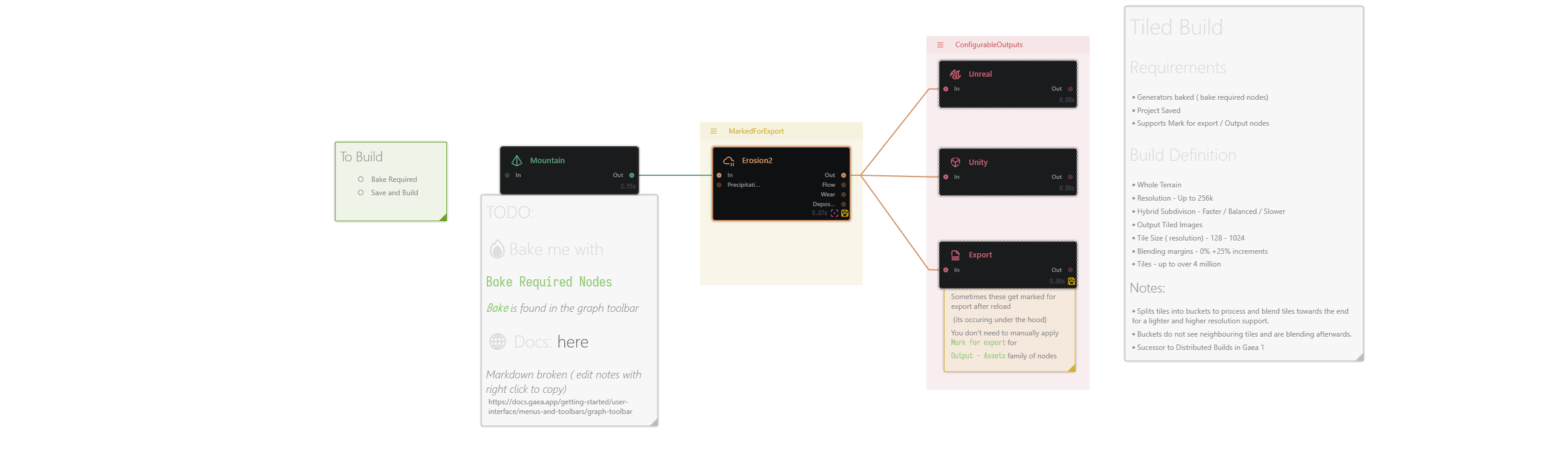
Tiled Build
Requirements
- Project saved
- Required Generator nodes baked
- Graph prepared to be tile-friendly
- Supports Mark for Export / some Output nodes
Build Definition
- Region: Whole Terrain
- Build mode: Tiled Build
- Resolution: based on
Tile Size × Tiles per Dimension
- Tile size / per-tile resolution: set in the Build Manager
- # of tiles: based on tiles per dimension
- Output: Tiled images
- Final terrain resolution: shown in the Build Manager readout
[!Caution]
Tiled Builds can become very heavy depending on tile size, number of tiles, and graph complexity.
Large builds may require significant RAM, CPU time, and disk space.
[!Note]
Tiled Build processes the terrain as separate tiles/buckets rather than one single full-resolution image.
This allows much larger terrains to be exported while keeping memory usage more manageable.
[!Important]
Non-tile-friendly sections of the graph should be baked.
[!Tip]
Best used for large worlds, game terrains, and workflows that need individual heightmap or texture tiles.
In Gaea 2, this is the main successor-style workflow for large tiled terrain output.
TiledBuild.terrain (7.3 KB)
1 Like