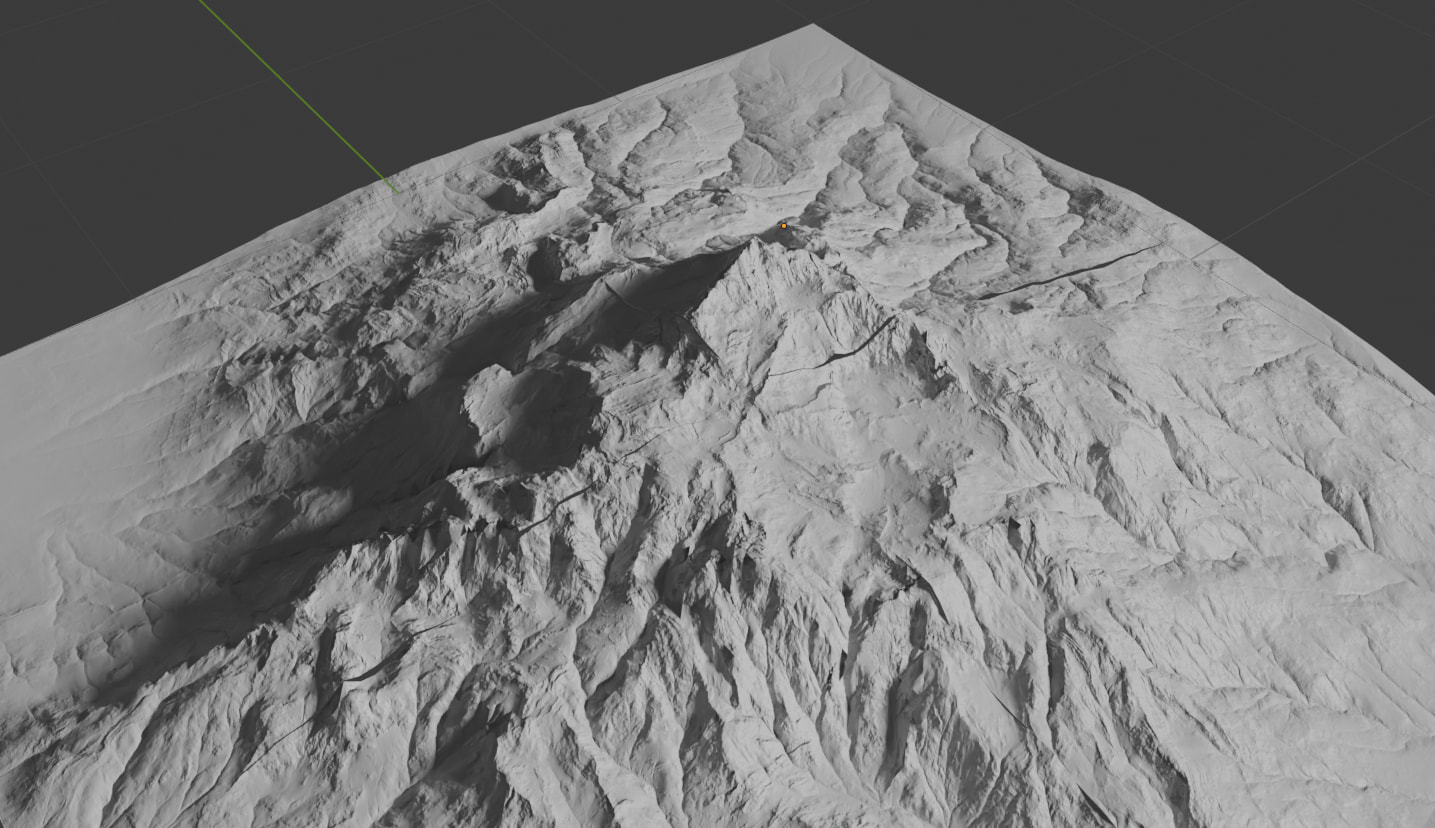
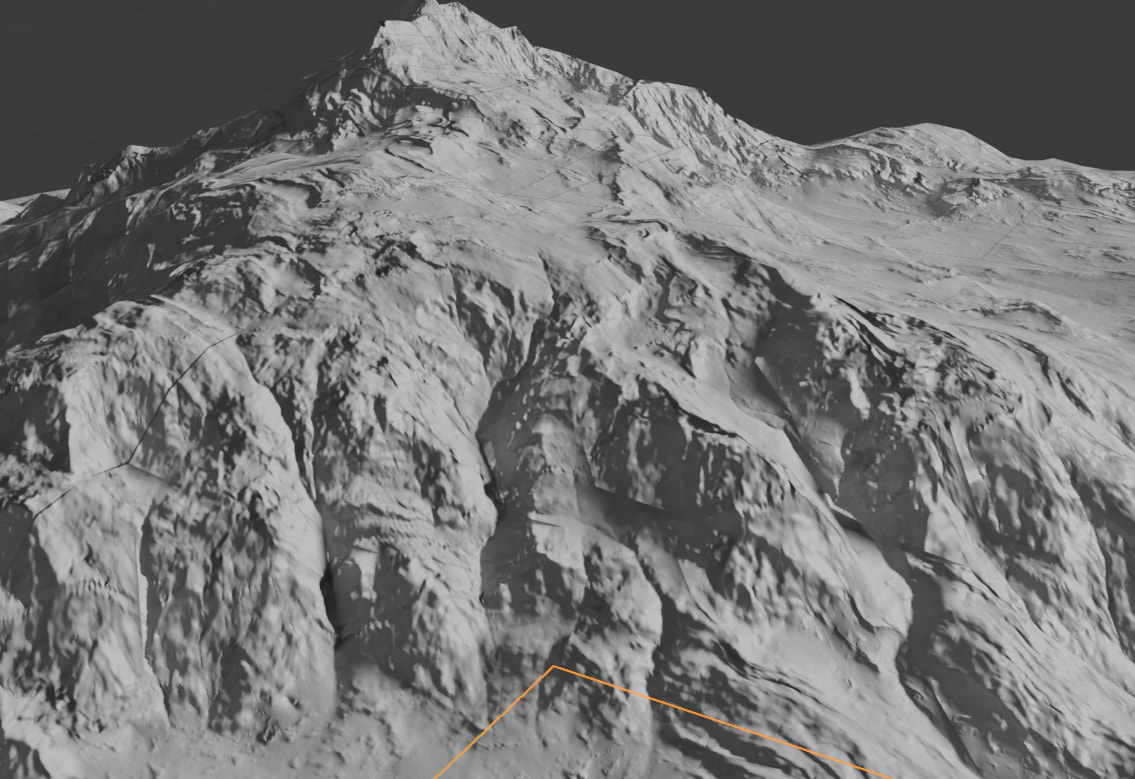
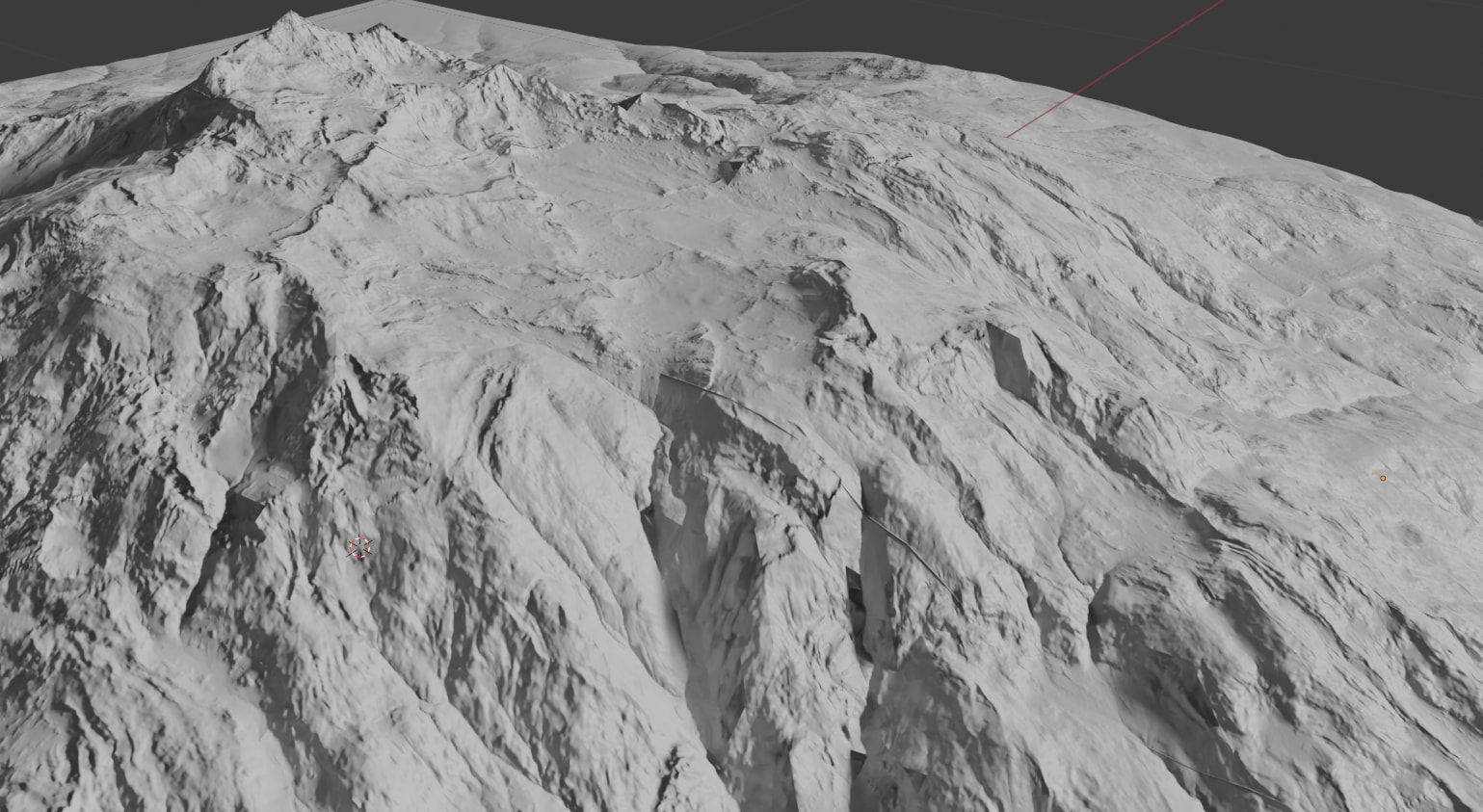
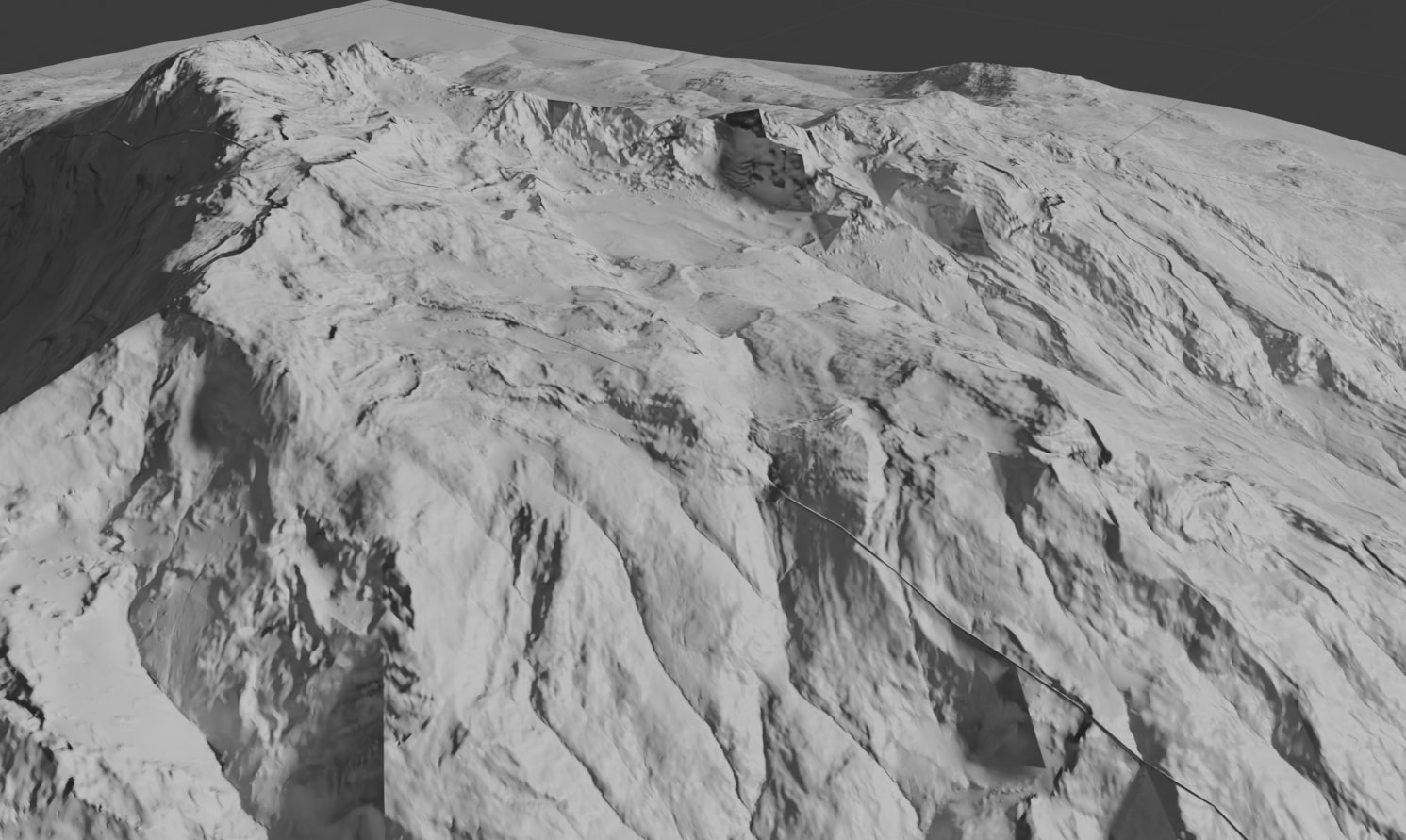
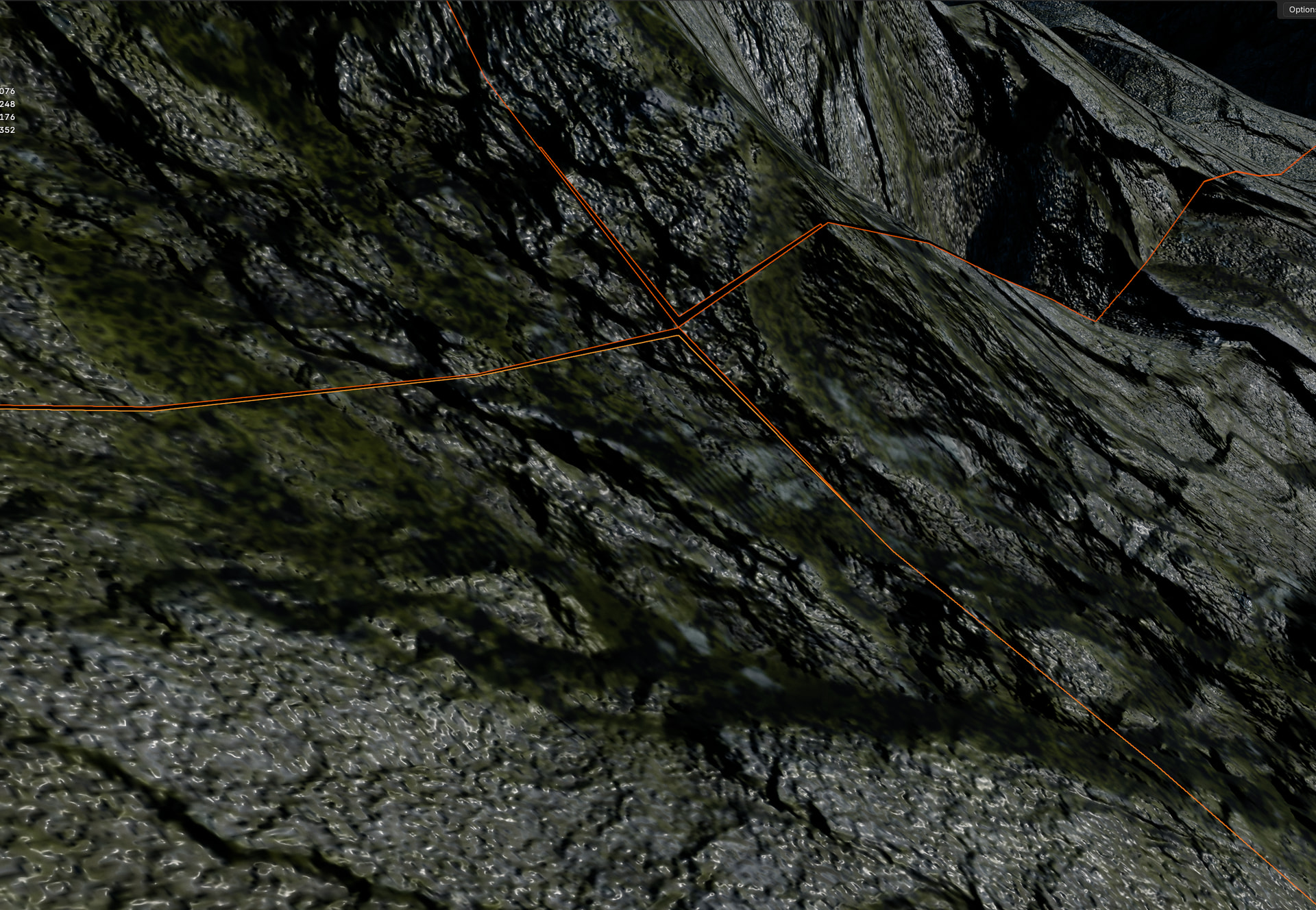
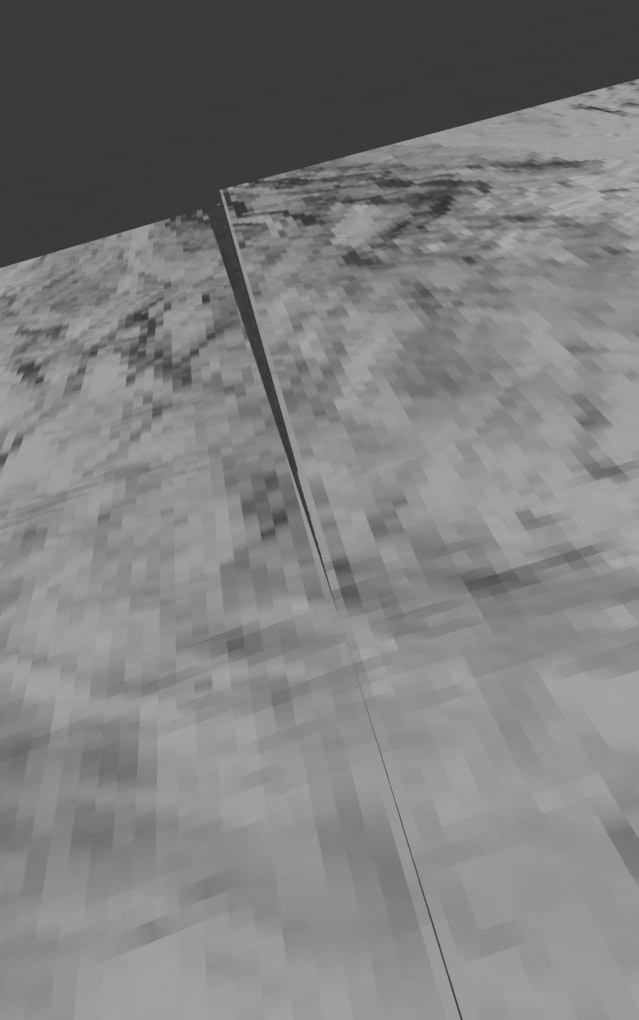
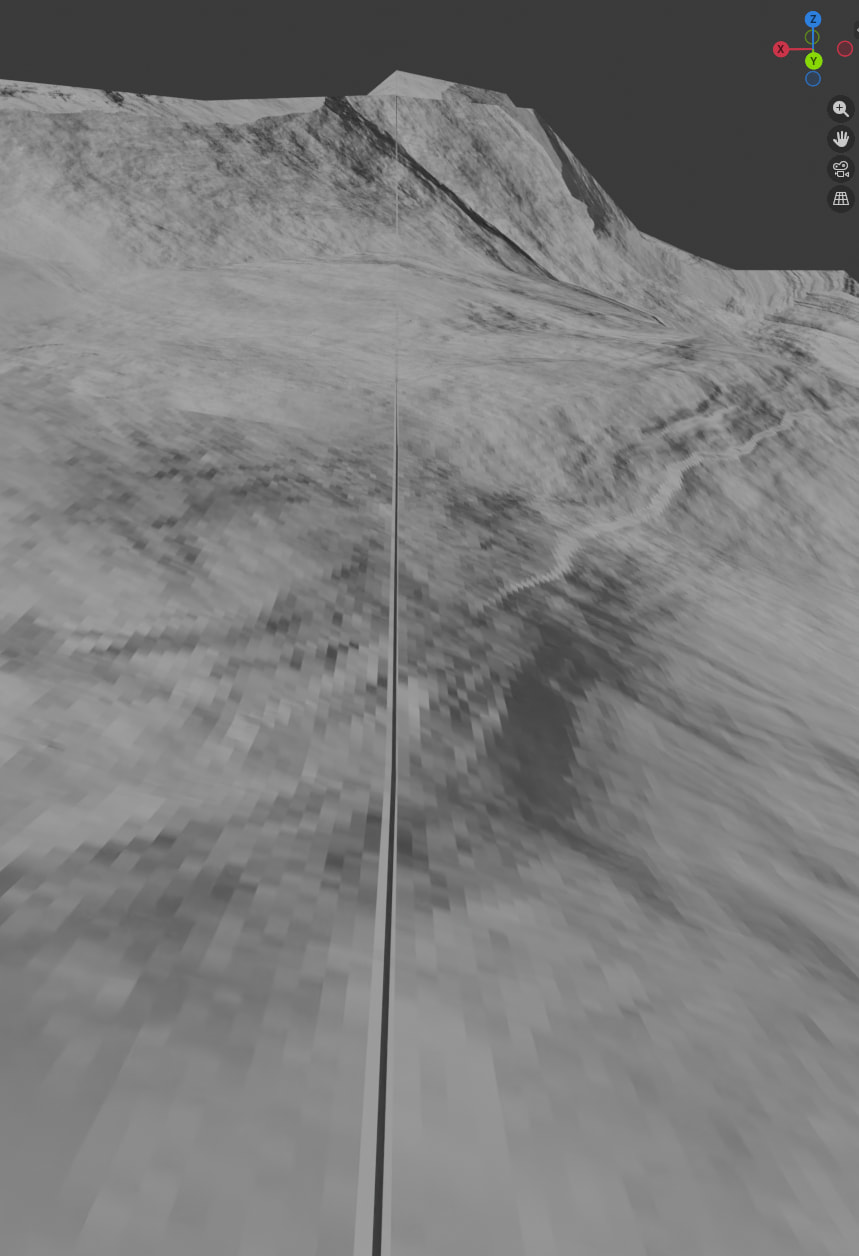
I have been trying to build much larger terrains like seen in the Gallery, I belive tile builds is how it has been done (only info I can find on how studios make such big terrains with Gaea 2). Every time I got to make a tile build I get seams regardless of what I set the blending mode too (obviously higher blending modes looking better). I have done some tests and here is what happens. Is this a limitiation of Gaea (not being able to output tiles to Blender without seams?
I have in past chats (on discord) had someone suggest building with a plus one as a throwaway one to allow blender to crop it back sort of. But I never found that option.
I have a few scenes I have put on hold until I can work this one out as I want to have larger terrains on them that are pretty decent quality (camera is head height from the ground and moves around). I know I can make a single massive tile and export it out as one giant 256k tile. but the issue with that Is I want to be able to do a lod of sorts for performance.
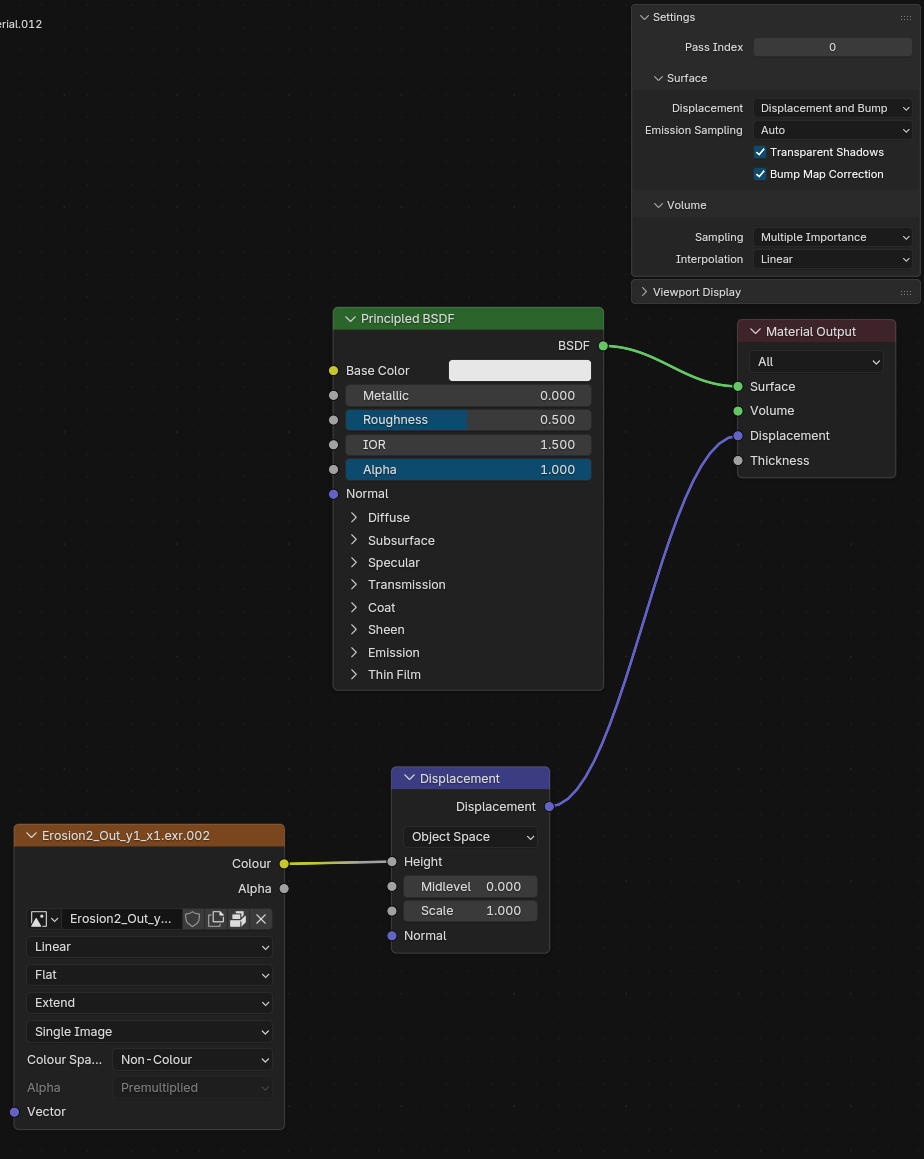
Here is some images from testing in Blender (file name says the blending percentage used), If you can’t see the seam (its hard in some) I can point it out for you.
Thank you for the detailed answers.
Looks like, to make it very simple, baking is the key.
I didn’t (bake) when I did tiled builds, months ago specifically for this seam strory. => I’m testing right now.
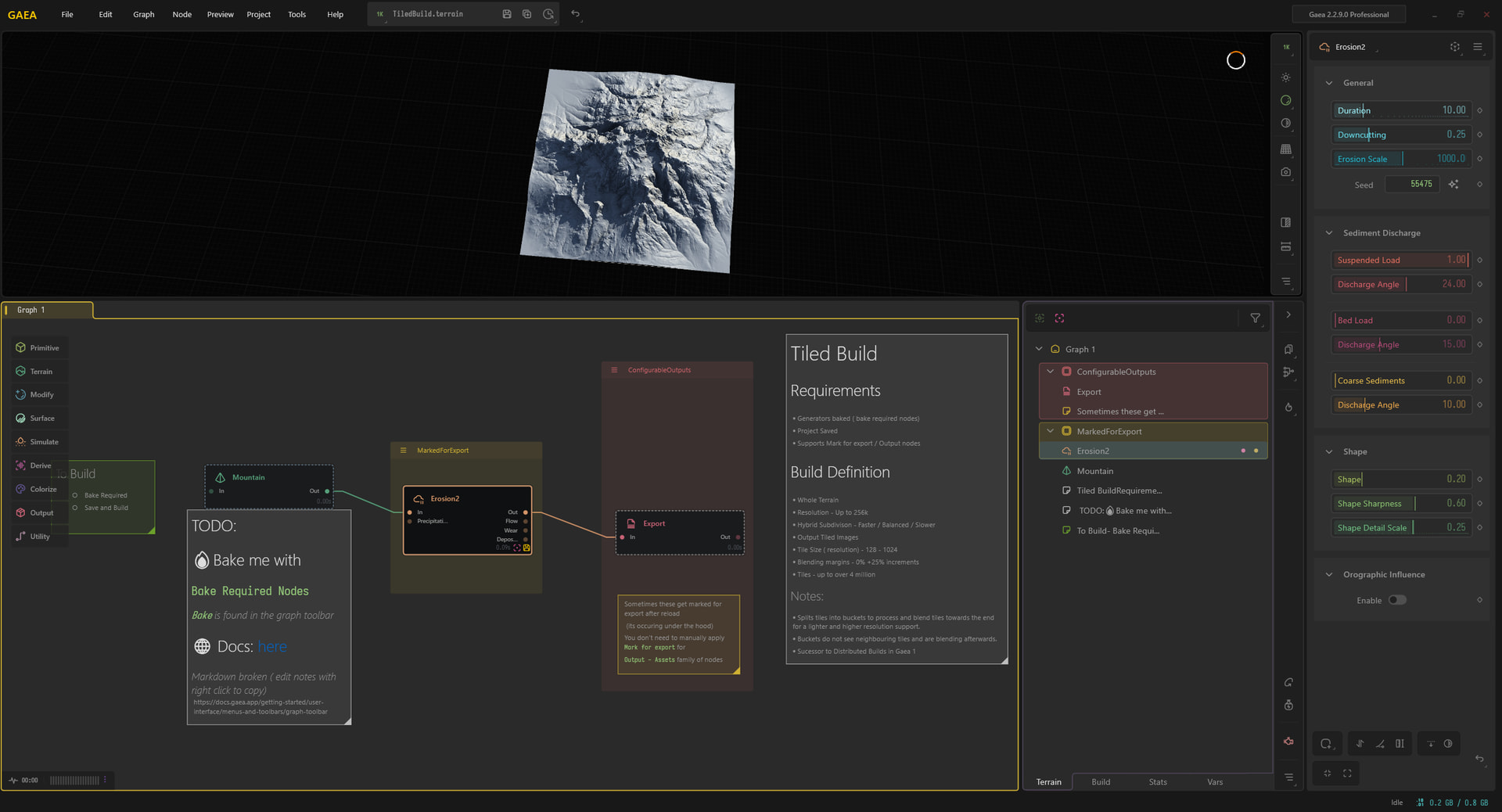
In several of the tests that I have done for this issue I have made sure to do the “Bake required nodes” each time and that has made no difference. Here is what the file looks like (I belive it’s the file you provided on discord a while back)
I will note that the few times I was clicking around randomly and blender did nothing, I was loading in the 25% overlap exr files (that window was showing some private details so it was hidden).
If you would like the files from my orgional post you can get them here (Password: Gaea, link expires 1st of April)
@TyXanders
My first yesterday “everything baked” test was perhaps too “complex”.
I tried again with a simpler you die one:
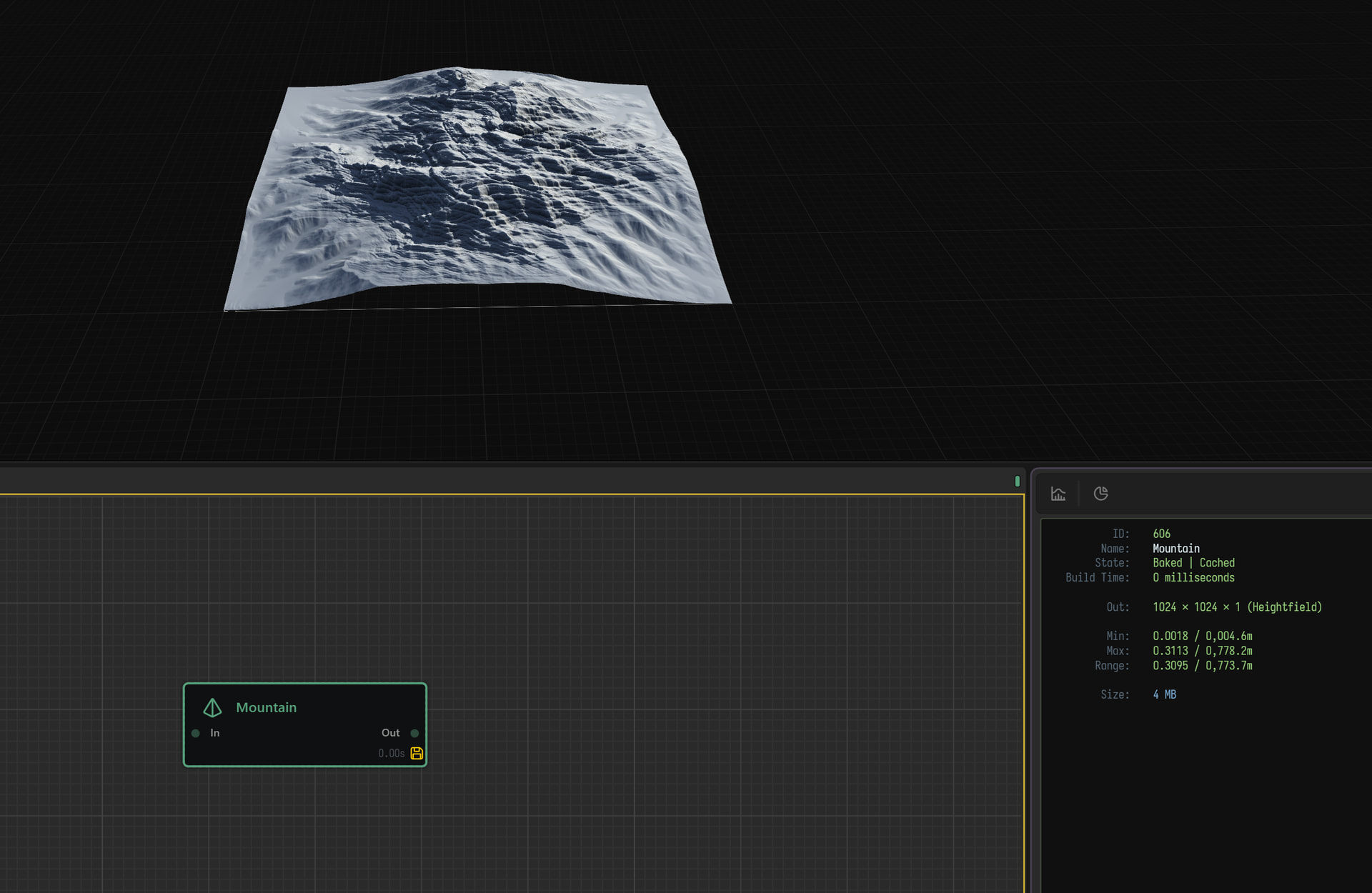
One single mountain node.
8K baked.
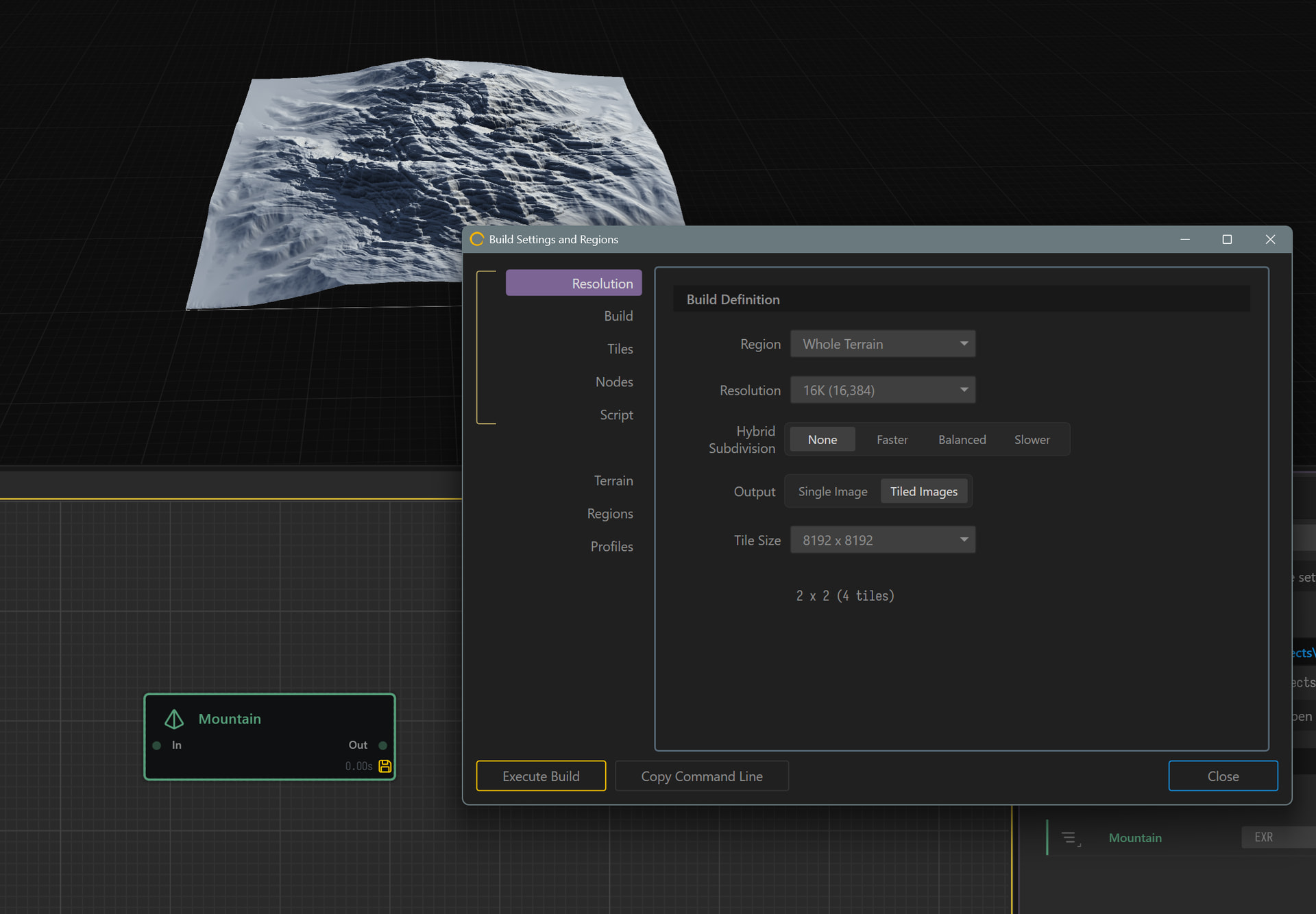
Build 16 K , 4 x 8K tiles with no hybrid subdiv.
Tiles are still not perfectly matching and if you zoom in (plausible scenario), you can see seams “issues”:
I did some basic file tests, and the error margins I found were:
Min 0.000000023
Max 0.000000976
For EXR in most cases, I did also try png, this was more but not by much and it was expected.
Which i believe is actually fine for a margin.
But most efforts I have tested did still amplify the margins based on scale which is believe actually odd.
The best I managed “reverse test” with minimal outliers that I suggest testing locally and sending into support
As follows:
Single node (bake larger than build)
Mark for export ( set only main output if multiple exist)
Set to GaeaRaw
Tile build (tile/faster)
Build again this time as split build ( tile / no sub div)
This should give you two different tiles sets.
import both back into Gaea (drag each set back in separate) as /tileinput
1st observation point
Are there seams?
Are there seams after auto level?
( You can test this with your default exports too)
Mark for export set to exr
Go through your typical Gaea to blender workflow
2nd observation (post blender set up)
Are there seams?
Are there seams the same or different to each set?
Is this a 0-1 workflow of real scale? ( Any observational differences between the two)
Any other observations
I haven’t unfortunately had the time to try other renderers to see if it is mimicked, poining more towards builds and exports, but I think this could be super useful if there is something the needs to be fixed for builds that split or tile.
I’m sorry that it’s not just a simple yes or no answer, but hopefully it’ll highlight something important.
Also I am by far not the best Blender user so thank you so much for the videos and guides, I certainly have a new level of respect for what ever blender users brains are doing
Thanks for the reply. Is your message supposed to be instructions for me to follow and test or are you noting down your working in tests?
If you have generated some terrain files you thin can work (or have a pre configured terrain file from the test) I am happy to give it a try on my end and see what shows in Blender.
Also I am by far not the best Blender user so thank you so much for the videos and guides, I certainly have a new level of respect for what ever blender users brains are doing
Haha, Blender is a great app to use, but it can also be a real pain to work with at times. Some of the things it does or methods are really convoluted
Hey Ty,
I tried to follow through your steps, The result is a tiny bit better (could also be the G2.3 update). Seams are a bit less (could also be a different terrain file.
I was unable to load a graw file into blender as there is no native support, Is there an addon/plugin from Gaea I’m missing to add support?
I did a build out of your file and import back in on step 2, No issues previewing. I exported to an exr as that is my preferred format as that’s what I use across other apps (if graw is designed to be the “to blender” path I’m happy to use it).
I Noticed that while not showing too many seams, there were seams in places. Zooming in to the edge I noticed there is about a 1 pixel margin on all sides where the colour of the terrain goes from the actual terrain to default grey colour in Blender. Is there a way to do a +1 build or a few pixel bleed over each tile?